
Sign up for a Company Account
This step-by-step guide explains how to create an account on Reality Cloud Studio the HxDR platform.
Please contact your sales representative to request a quote for Reality Cloud Studio.
Creating a Reality Cloud Studio Account

If you have already created an account, please skip to Activation.
1. Navigate to https://realitycloudstudio.hxdr.app to begin the account creation process.
2. Click Create company account in the upper right corner.
Create company account button
3. Enter your Personal details.
The email address used for account creation will be for an admin user. Once another admin user has been created, the original account can be switched from admin to any other user type or deleted entirely without affecting access for the company account as a whole.
Please ensure you see “Voucher applied” on the left side of the screen before proceeding.
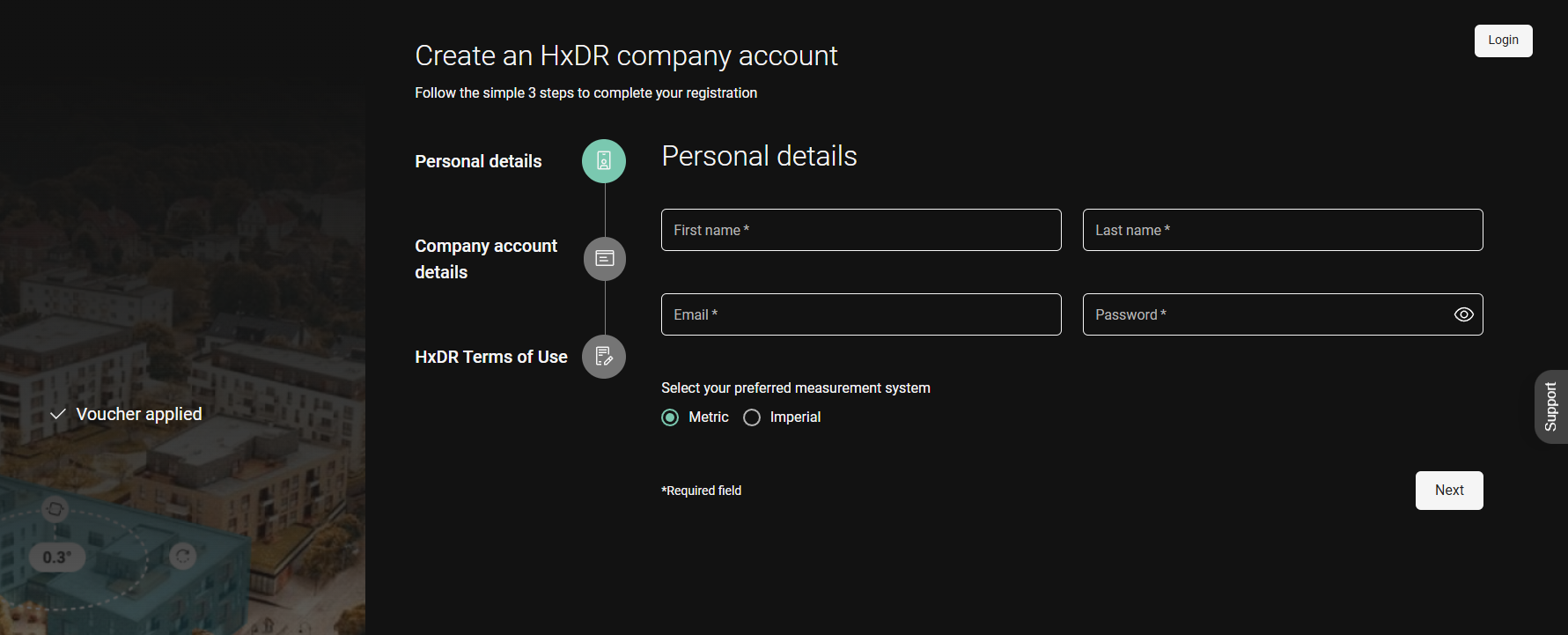
“Voucher applied”
4. Click Next.
5. Enter the company information, including the company name, address and phone number, and, if applicable, VAT number.
These details can be changed later by any company account admin.

6. Click Next.
7. Read and accept the HxDR Terms of Use (check the box).

8. Click Sign up.

9. Navigate to your email and follow the Verify email link.

Activating a Reality Cloud Studio Subscription
It is not required to activate a subscription after logging in during the email verification process. Some reasons to not activate a subscription at this stage:
The Entitlement Certificate with the Entitlement ID (EID) has not yet been delivered
An account to enable collaboration with other Company Accounts as an External User
Once your account is verified, your next step is to log in. See Login and authorisation for login options including email/password and SSO.