Function
Body Poser allows you to insert a 3D human form into your drawing providing accurately scaled non-graphical representations for your diagrams.
Procedure
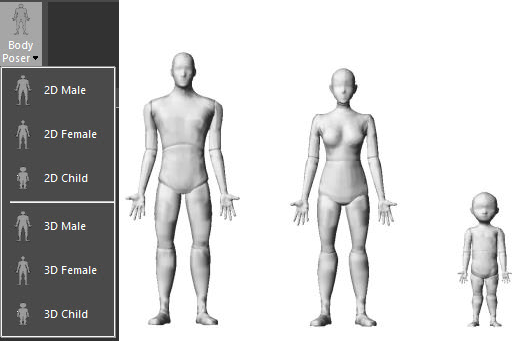
Select the Body Poser command and from the pull down select from Male, Female or Child , as depicted below.
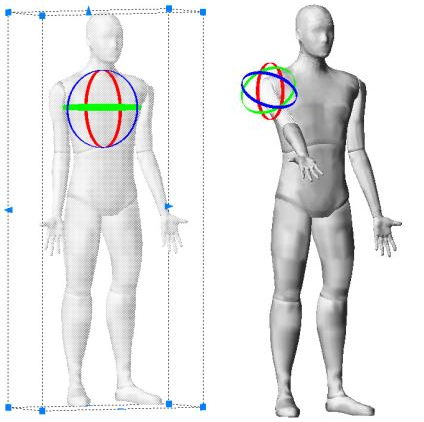
Left click to place the body directly into the drawing. Once placed, select the body to display the grips to rotate and resize the body in the 3D scene.
Select a specific body part or Shift-select multiple body parts to adjust the pose even further. Hover over the rotation rings and left click to activate. Use the rotation rings to rotate the body part around each axis - a line is displayed to indicate the current axis.
Modifying Properties
The properties panel additional options for the body poser.
Simply adjust the color, layer, overall size and orientation of the body. Select a body part to define the color and rotation, and even reset the pose to start over.
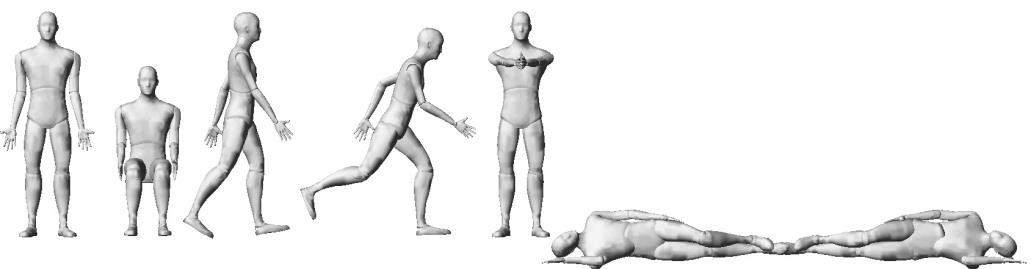
A variety of pre-defined poses are also available to choose from and can be further customized for the scene.