
Copy GeoTags across Assets
To aid users migrating data from legacy products or utilising HxDR Reality Cloud Studio for Change Management workflows (i.e., uploading multiple versions of a project’s data, representing project status at different stages of the project’s life), users can copy GeoTags from any other asset from the company account.
To copy GeoTags across assets:
Open the destination asset.
Click the GeoTags menu on the left side of the screen to open the GeoTags tray.

Click Copy all GeoTags at the top of the GeoTags tray, next to the Filter field (see permissions info).

The “Copy GeoTags” dialogue will open.
From the list, select the asset that contains the GeoTags to be copied over.
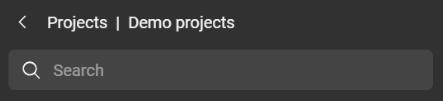
Use the Search bar or the navigable folder path to find the asset.
Click Copy from [asset name] to start the copying process
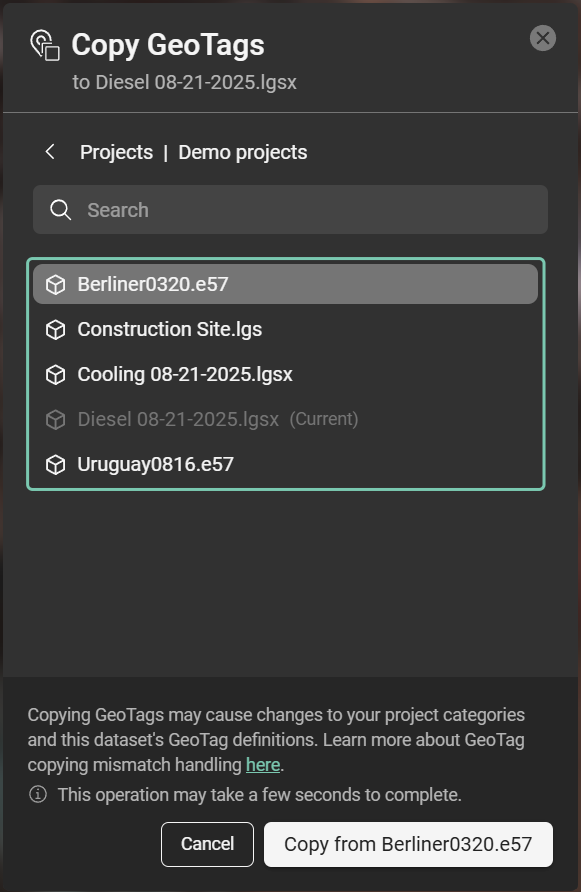
Copy GeoTags dialogue
While copying GeoTags it might be that there are conflict related to GeoTags with the same name, thumbnails or attachments. The resolution in these cases is presented in the table below.
Conflict resolutions and notifications
If GeoTags for the destination Asset or Categories for the destination Project already exist, conflicts may arise during the Copy GeoTags process. The automatic conflict resolution logic is presented in the table below.

Conflict resolutions for GeoTags happen automatically. There is no option for the user to change the action.
Issue | Notification |
|---|---|
A Category with the same ID has different name | Categories/Category values with the same ID where found. The names of the last modified were used. |
A category is defined as list with different values in both models | Values in categories were extended to fit both models. |
The same priority is assigned to 2 categories | Different orders were found for the same Categories/Category values. The ones found from the last modified were used. |
The same priority is assigned to 2 categories (or 2 different values in a category list) | Same orders were found for different Categories/Category Values. The ones found from the last modified were used. |
A Category with different ID has same name | Same names were found for different Categories/Category Values. The imported ones were modified to avoid duplications. |
A Category has same name as a Field | A category and a Free Text Category have the same name. The Free Text Category name was changed to avoid duplication. |
A GeoTag with the same ID has different name. | The name/description/... of a GeoTag is different in both dataset. The name/description/... of the latest edited one is prioritized. |
A GeoTag has 2 different strings for the same field | The content of a Free text category is different in both dataset. The content of the latest edited one is prioritized. |
A GeoTag has 2 different value for the same category | The value of a category is different in both dataset. The value of the latest edited one is prioritized. |
An Attachment with the same ID and same uri in fact links with 2 different files | Two different files with same name were attached to a GeoTag. Only the most recent document is kept. |
Copying of GeoTags could not be performed | The GeoTag copy could not be completed due to an unexpected issue. |
Same names were found for different Text categories. | Same names were found for different Text categories. The original ones were modified to avoid duplications. |
Same names were found for different List values. | Same names were found for different List values. The original ones were modified to avoid duplications. |
Two different thumbnails were attached to the same GeoTag. | Two different thumbnails were attached to the same GeoTag. Only the most recent thumbnail is kept. |
Two different files were attached to the same GeoTag. | Two different files were attached to the same GeoTag. Only the most recent document is kept. |
Same names were found for different GeoTags. | Same names were found for different GeoTags. Both GeoTags were kept. |