

What’s New
PinPoint 5.1.0 introduces new features and improvements, including:
A new PDF registration report with extended registration statistics and a quality rating for each scan
Two new AI-assisted cleanups for removing vegetation and furniture
Import of control points from LGSx files and from BLK2GO datasets, together with their observations
Improved registration accuracy and more reliable control point detection
Better image quality for kinematic scans
Faster application of complex cleanups
And many more fixes and improvements to enhance stability and streamline supported workflows.
all Pinpoint
New AI-Powered Cleanups
Two new AI-assisted cleanups have been added alongside the existing AI-powered people cleanup:
Vegetation – identifies trees, trunks and shrubs in the point cloud.
Furniture – identifies tables, chairs, couches and the clutter around them.
These cleanups make it easier to remove typical outdoor and indoor objects that are not part of the intended deliverable.
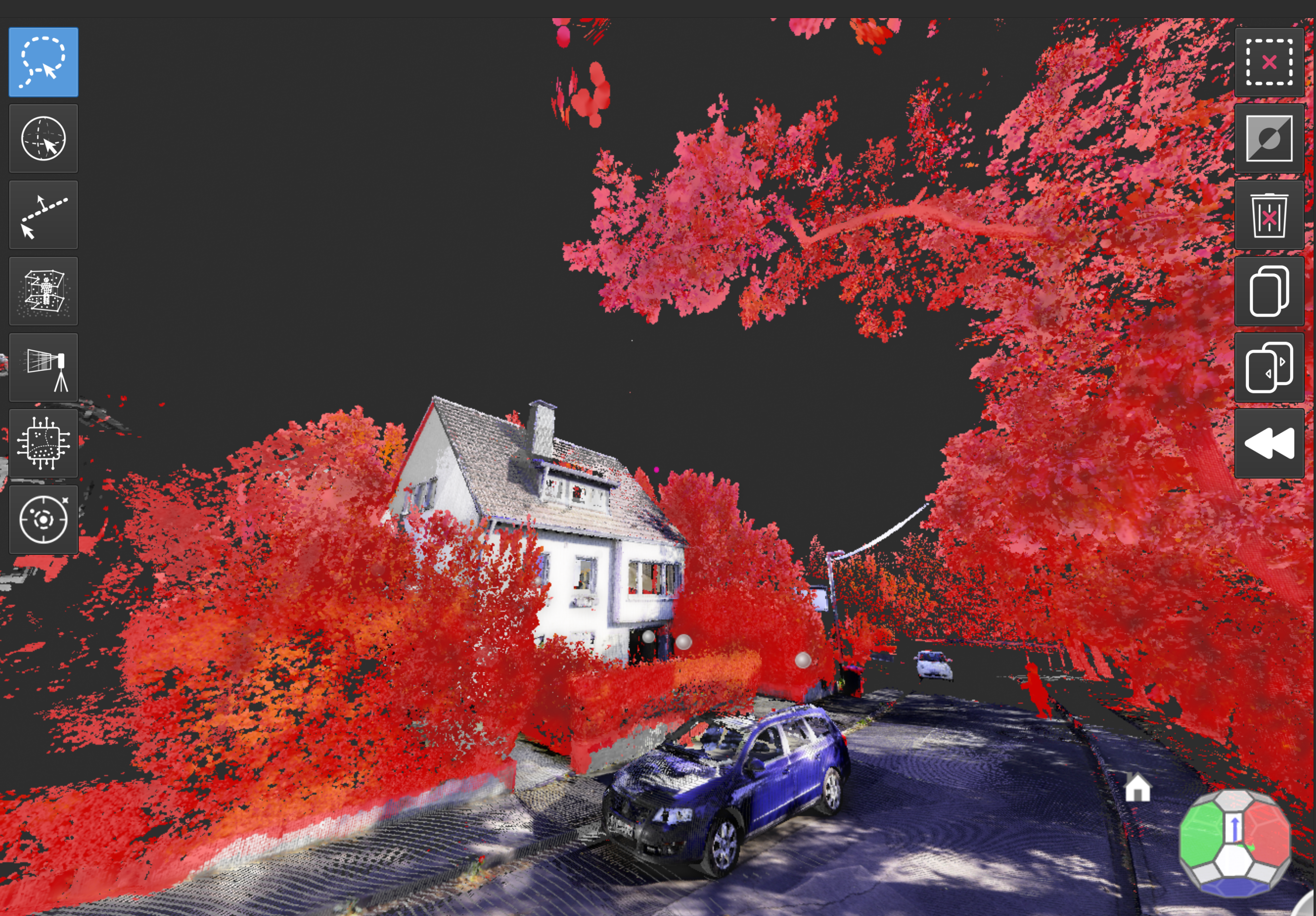
Vegetation cleanup
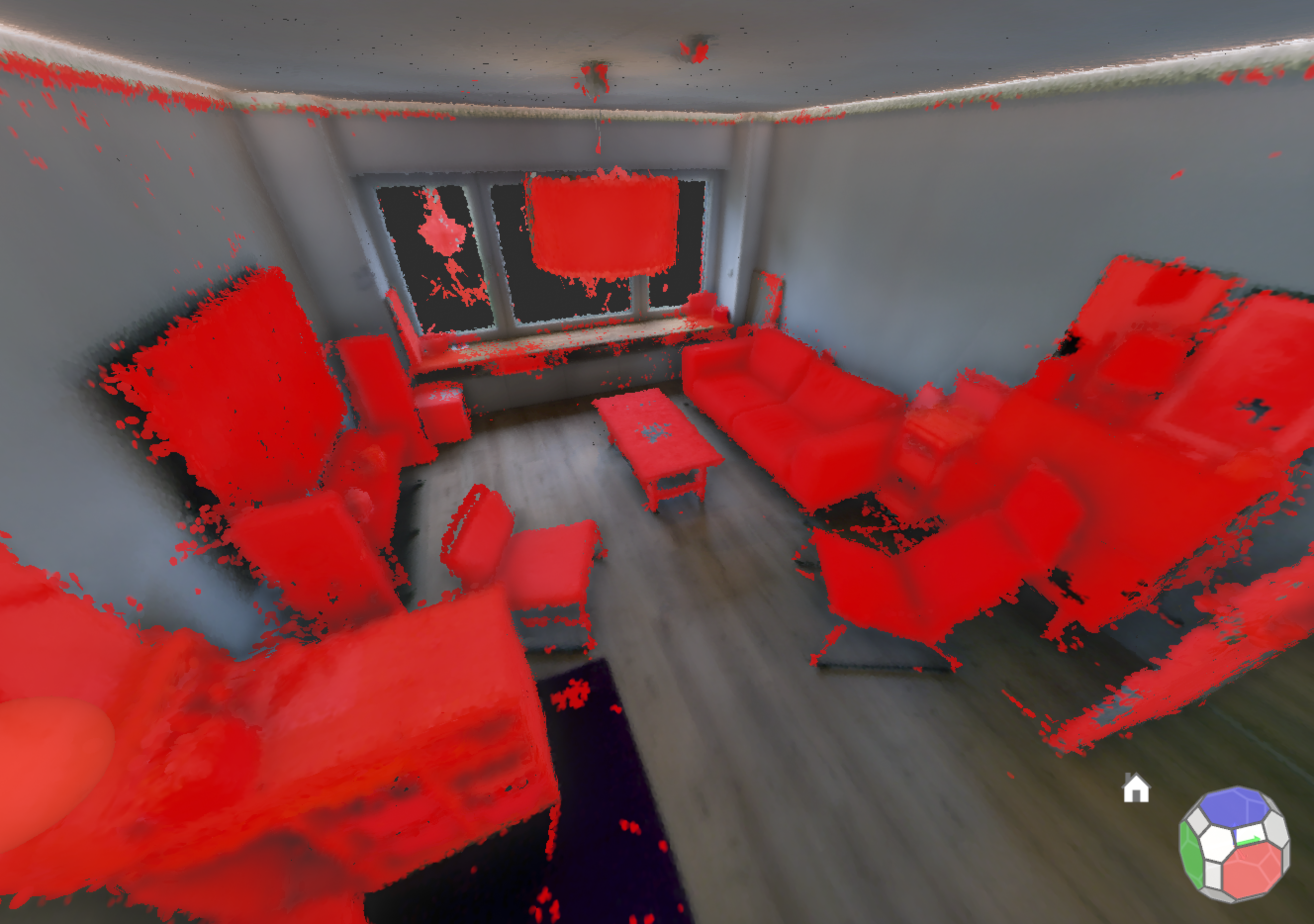
Furniture cleanup
Faster and More Flexible Cleanups
Cleanups consisting of many strokes or polygons are now applied considerably faster. In addition, occlusion (mirror) cleanups created from an imported mesh no longer inflate the size of the project.
While drawing a lasso cleanup in orthographic views, users can now pan and zoom the view without interrupting the selection.
Control Points Enhancements
This release extends the control points workflow introduced in PinPoint 5.0.0 with the following updates:
Control Points from BLK2GO Datasets
Control points measured in the field with BLK2GO are now imported from the .b2g file together with their observations. To strengthen the measurement, each target is additionally re-detected in the neighbouring frames.
Control Points from LGSx Files
Registration targets contained in an LGSx file are now imported as control points.
Selectable Target Types for Detection
When running control point detection, users can now select which target types should be searched for. Detection has also become more reliable, especially for targets positioned in front of a background surface.
Improved Control Point List Import
Importing a control point list now adds the imported points to the existing control points instead of replacing them, and the observations that were already detected are re-matched automatically. To avoid duplicates, a control point can no longer be placed at a position that is already occupied.
Control point lists can now also use commas as separators.
Observations Carried Over on Export
When scans are exported to a new project, their control point observations are now carried over as well.
Navigation Aligned to the Reference Coordinate System
The navigation cube and the default view now align to the user-defined reference coordinate system, so the view orientation matches the coordinate frame the project is worked in.
Improved Image Quality for Kinematic Scans
The image quality of kinematic scans has been improved. The individual camera images are now kept as tiles and resampled using bicubic interpolation.
In addition, when picking on kinematic scans, PinPoint only offers images that were captured close in time to the surrounding points, ensuring that the displayed image matches the selected location.
Warning for Deeply Nested File Paths
PinPoint now displays a warning before importing from or saving to paths that are nested too deeply for reliable file access. This helps prevent failed imports and incomplete saves.
Pinpoint Registration Tool
Registration Report
A new registration report can be generated as a PDF document. The report contains:
An overview network of the project, in which each scan is shown as a node: its colour represents the registration error and its size represents the overlap.
One page per scan with detailed results, including the overlap with each neighbouring scan.
Extended registration statistics, including RMS, 95th percentile, inlier ratio and overlap, together with a good / acceptable / poor rating.
The report provides a quick way to assess and document the quality of a registration.
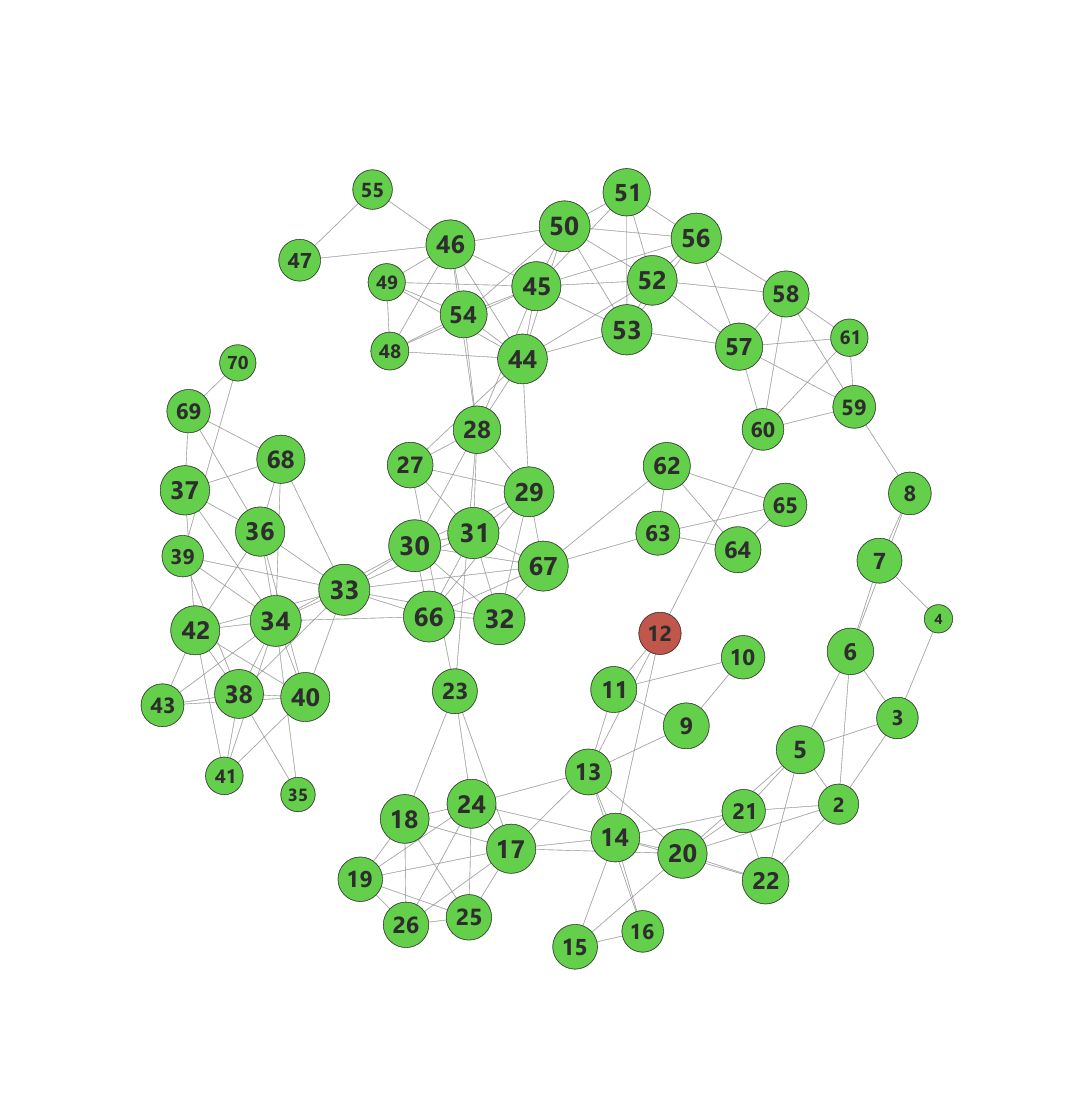
Overview network
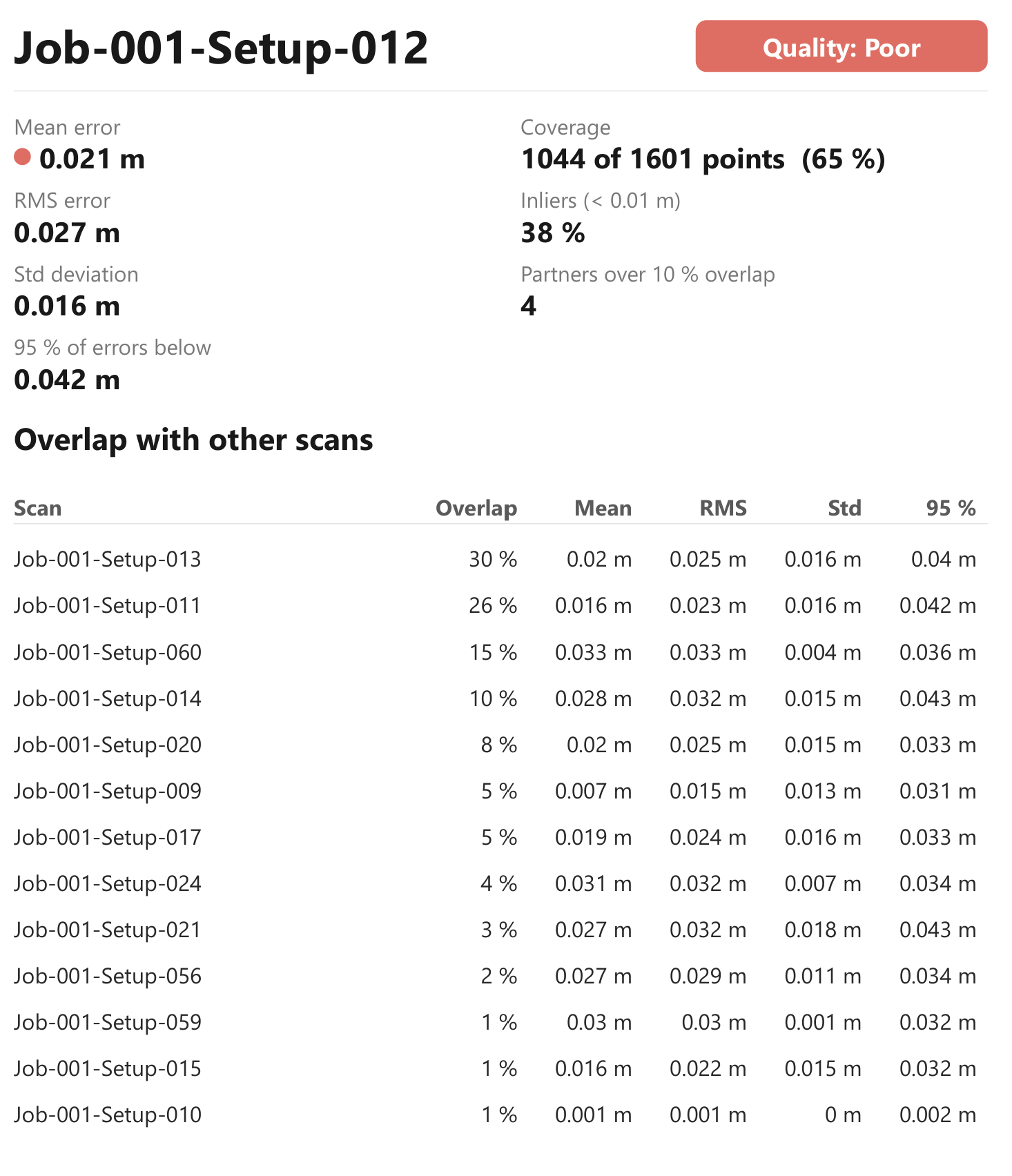
Scan detail page
Improved Registration Accuracy
Registration accuracy has been improved by adding a robust re-sharpening phase to the fine registration.
BLK2GO Re-import
When a BLK2GO dataset is re-imported without re-running SLAM, PinPoint now uses the last globally optimised trajectory.
Third-Party Components
CLM upgraded to version 9.1.0.0
Resolved Issues
The following issues have been resolved in this release:
Geo-referenced DXF exports opened on empty space in several CAD applications.
Images in DXF orthophoto exports were not displayed by some readers.
DXF exports of sketches embedded in 3D opened with the view looking at the sketch edge-on.
Running out of memory while loading a project was incorrectly reported as a corrupted project.
A crash occurred after a rejected Subtract operation, for example when the subtracted surface overlapped a hole.
Panoramas of LGSx trajectory scans were imported incorrectly.
A crash occurred when generating a floor plan from an incompletely modelled staircase. The affected staircase now reports a clear message instead.
In the plane cleanup, holding SHIFT and left-clicking added further points instead of finishing the selection as described in the tooltip.
Checking the prerequisites of the AI cleanups caused the user interface to stall.
The total length was displayed for polylines consisting of only two points.
Control points remained visible after leaving the control points workflow.
General stability improvements.