
What’s New
This is a weekly release including expansion of services to Australia, New Zealand, Japan and South Korea.
Export Limit Boxes
Users can now export limit boxes of a subset of points within an asset. This improvement allows users to quickly subdivide their asset into work packages to be downloaded and used in non-integrated third-party solutions to better control the flow of project data outside of Reality Cloud Studio and limit their export costs.
At this time, meshes created inside of Reality Cloud Studio will not be included in that limit box export area, the Limit Box must be created from the Download menu.
To download a Limit Box:
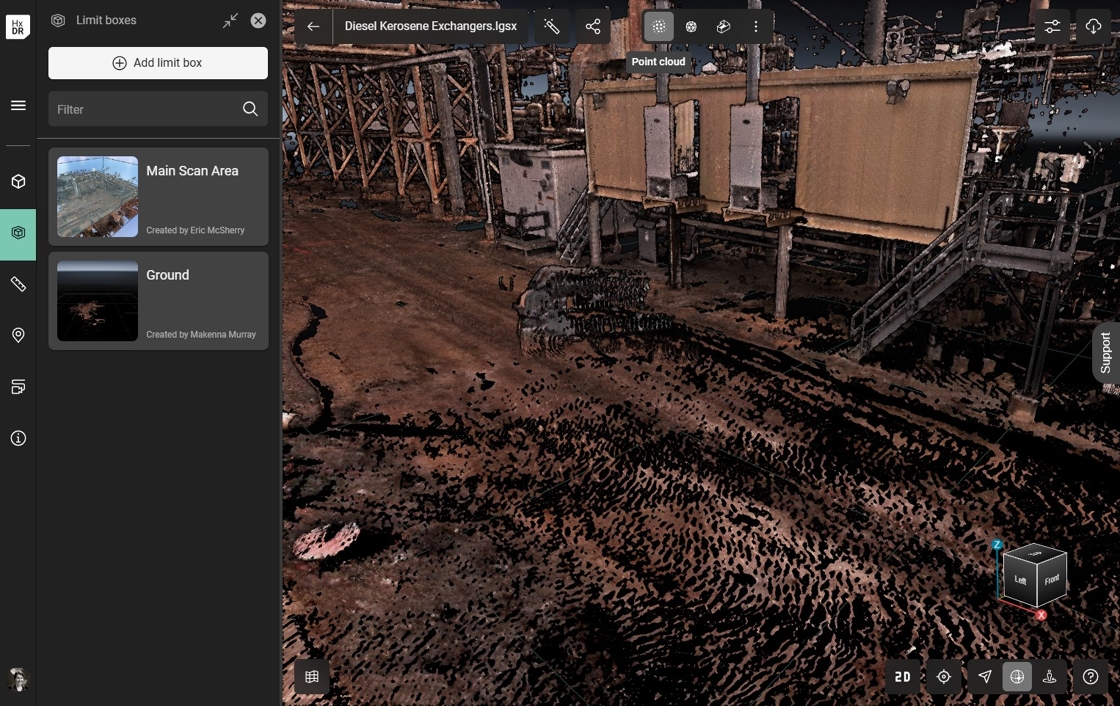
Ensure that a limit box is available in the asset or create one.
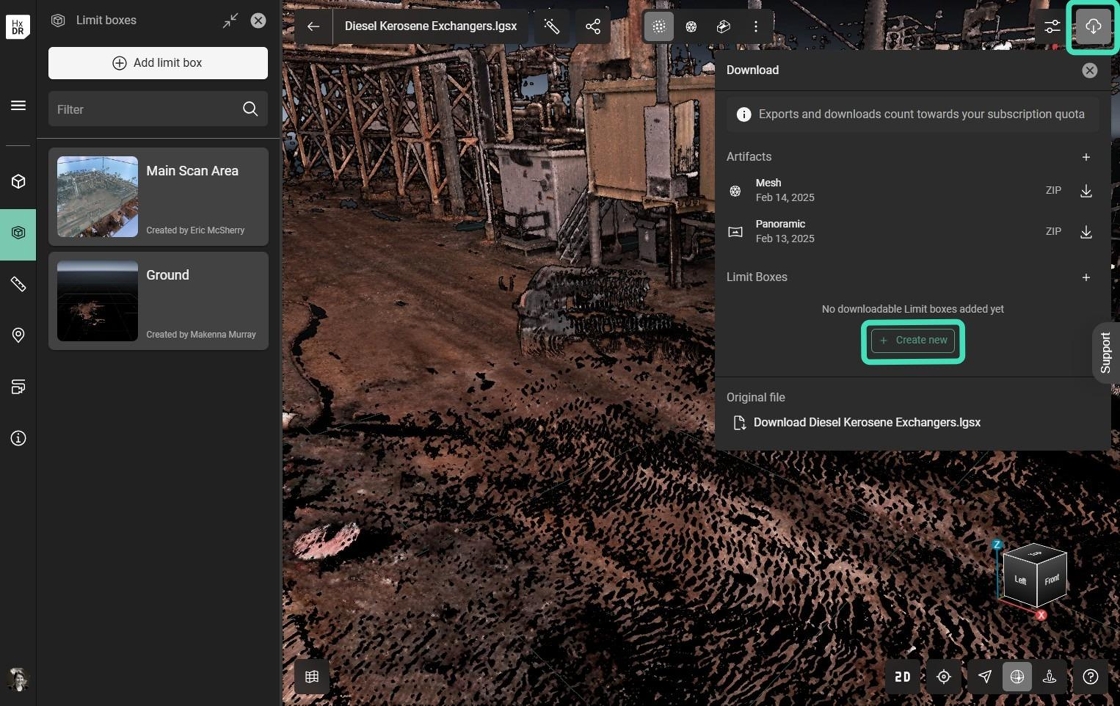
Open the Download menu and select Create new within the Limit Boxes section.
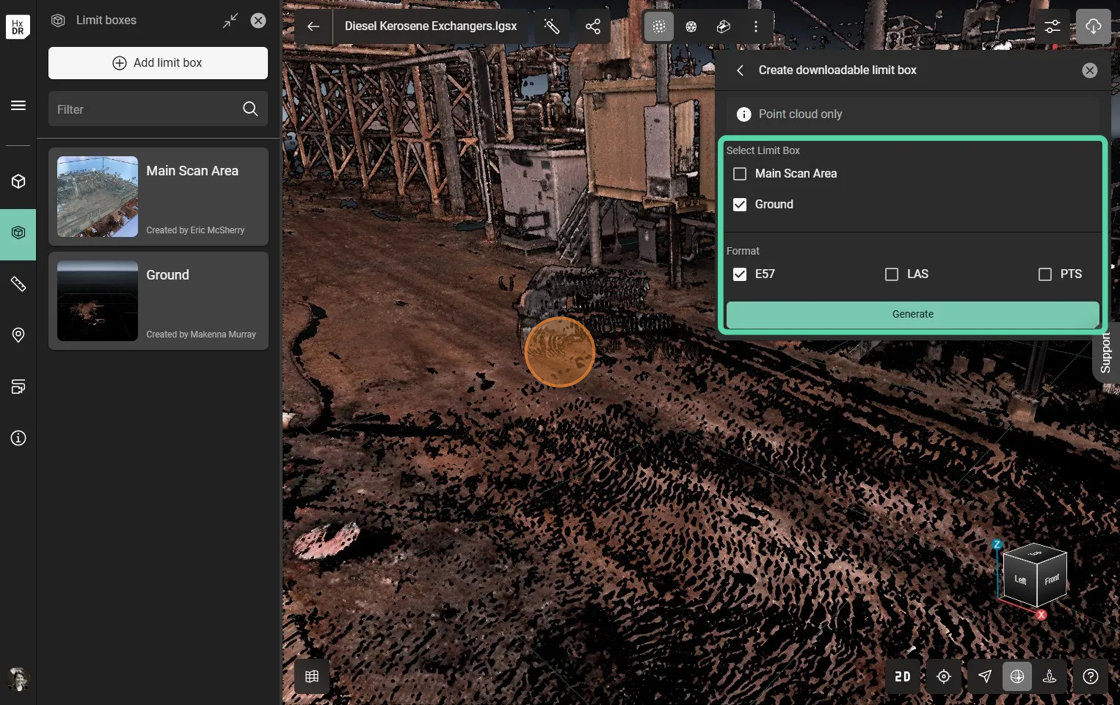
Select the correct Limit box and Format and select Generate.
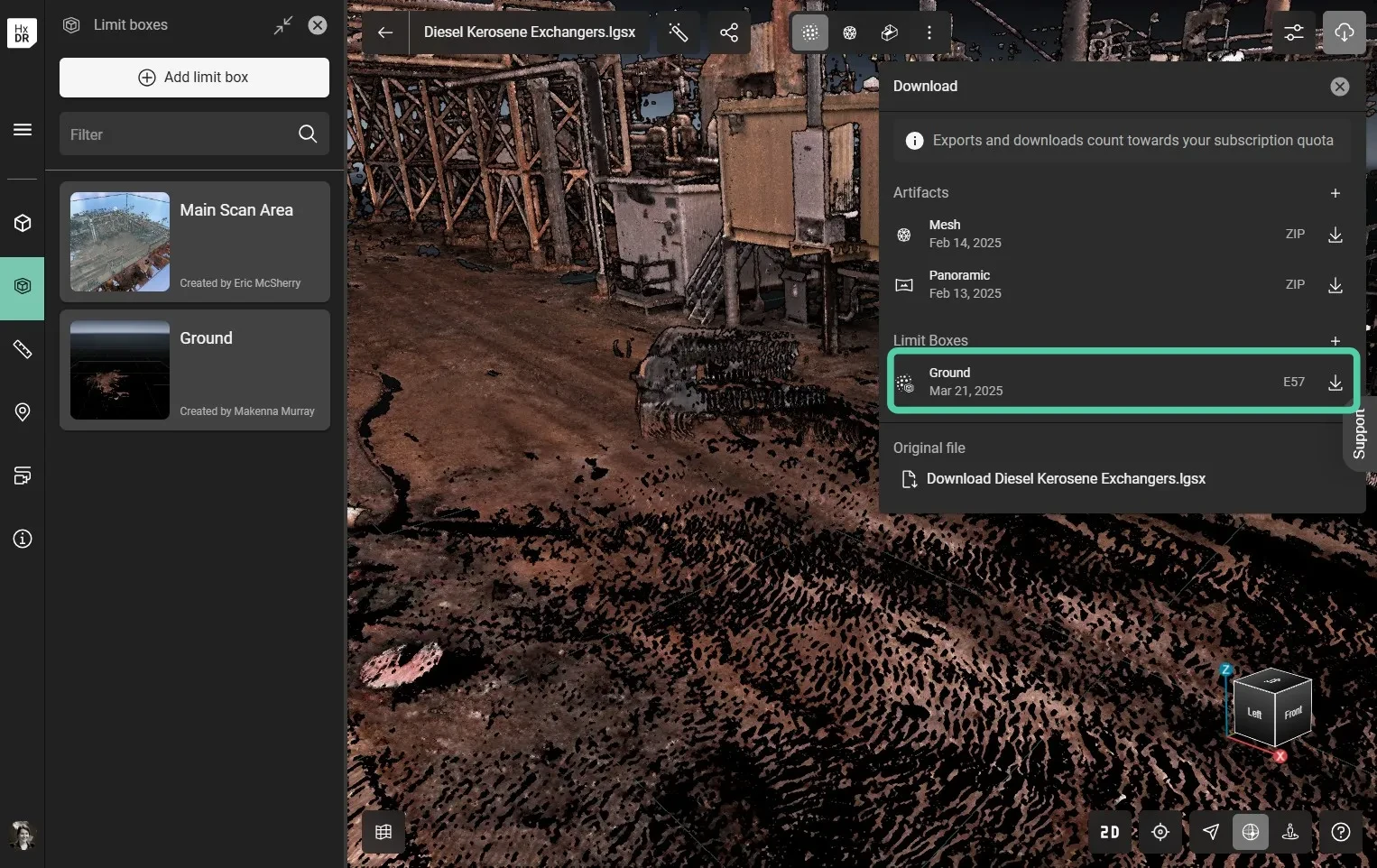
Once the Limit Box is processed, it can be downloaded as many times as desired.
Export of Limit Boxes will consume against an account’s quota.