Users can choose to publish only the points inside of existing Limit Boxes to E57, PTS, and RCP as a single cloud. Publishing only a Limit Box allows users to selectively reduce the size of an export to only a certain area of interest and speed up the publishing process.
Points exported by Limit Box will be exported as unstructured data.
Create Limit Boxes per normal procedure.
Save Limit Box and select the Export check box.
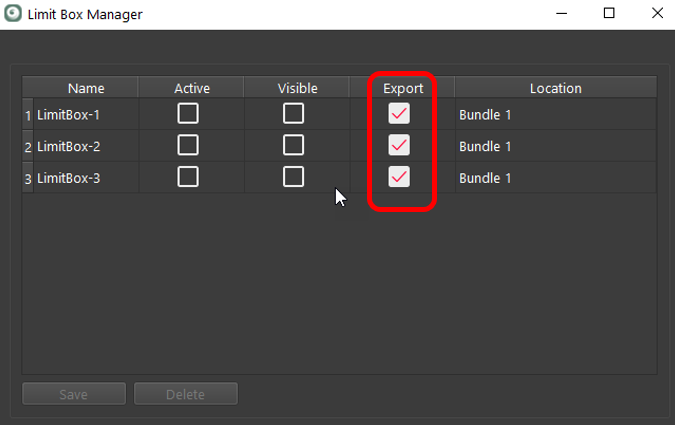
Proceed through the Finalize to the Report area.
Select the desired publish format. The following formats are supported: PTS, E57, and RCP (cloud).
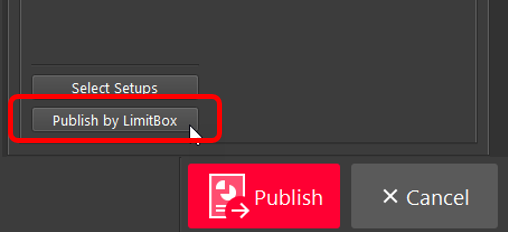
Click Publish by LimitBox.
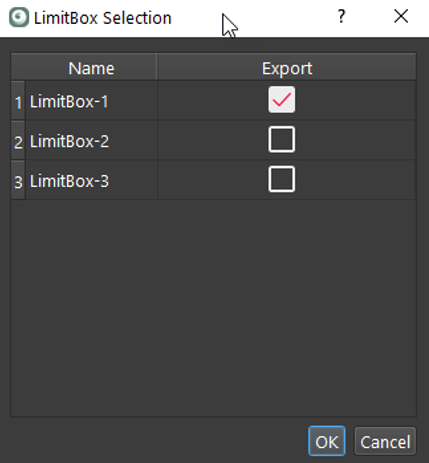
Select the desired Limit Boxes to publish and click the OK button.
Proceed to the Publish step to complete the process.
Note: All points published this way will be in an unstructured format, so the export will not import back into Cyclone REGISTER 360 2020 or earlier.