
Introduction to Category Manager
The Category Manager is a new feature in Cyclone REGISTER 360 PLUS designed to manage categories assigned to GeoTags. It provides users with a structured way to classify and organise GeoTags, improving data consistency and enabling more efficient filtering and analysis.
Categories in the Category Manager are divided into two types:
-
List Type Category
This category type allows users to select a value from a predefined list. It ensures standardisation across projects and simplifies data management. -
Free Text Category
For this category type, users manually enter values as free-form text. It offers flexibility when predefined values are not sufficient or applicable.
The Category Manager offers an intuitive interface for creating, editing, and assigning categories to GeoTags, helping users maintain clarity and control over their project metadata.
Launching Category Manager
To open the Category Manager, use any of the options below:
-
From the navigation panel
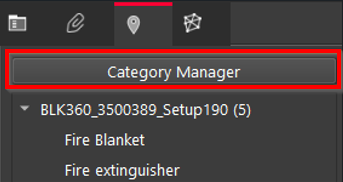
Click the Category Manager button located under the GeoTags tab in the navigation panel. This provides access to the category management interface.
-
From an existing GeoTag
While viewing or editing a GeoTag, navigate to the Properties panel and click the Manager button in the Categories section. In this way, the categories can be managed directly in the context of the selected GeoTag.
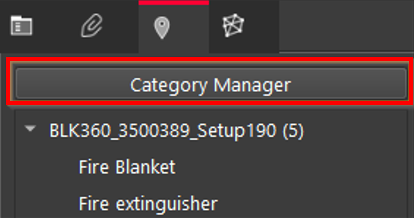
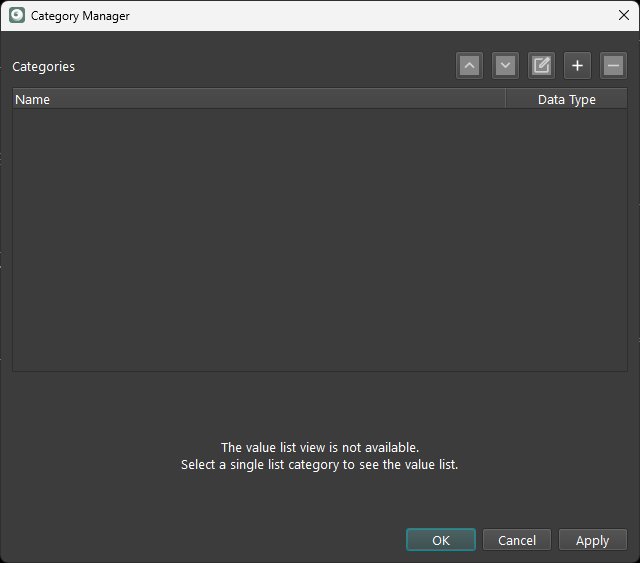
Both entry options lead to the same Category Manager interface, where users can create new categories, edit existing ones, and assign them to GeoTags as needed.
Saving Changes in Category Manager
To successfully save changes in the Category Manager, users should:
-
Click Apply to save the changes without closing the Category Manager dialog. This allows for further editing or adding more categories and values.
-
Click OK to save the changes and close the Category Manager.
Failing to click either button may result in losing unsaved changes. Users should always confirm their edits before exiting the Category Manager.