Skip to main content
2026.1
2026.0
2025.0
2024.0
2023.1
2023.0
2022.1
2022.0
Main navigation
Close navigation
2026.1
2026.0
2025.0
2024.0
2023.1
2023.0
2022.1
2022.0
English
Japanese
Korean
English
Japanese
Korean
Main
Main
2022.1.1 | Release Notes | Cyclone REGISTER 360
2022.1.1 | Release Notes | BLK Data Manager
2022.1.1 | Help | Cyclone REGISTER 360
2022.1.1 | Computer Specifications
2022.1.1 | Licensing
2022.1.1 | General Info
2022.1.1 | Import
2022.1.1 | Review and Optimize
2022.1.1 | Viewing Options
2022.1.1 | SiteMap
2022.1.1 | Bundle Cloud
2022.1.1 | Setup Cloud
2022.1.1 | Link Cloud
2022.1.1 | TruSlicer
2022.1.1 | Viewing Modes
2022.1.1 | Additional Viewing Options
2022.1.1 | Undo/Redo
2022.1.1 | Moving Setups and or Bundles in the SiteMap View
2022.1.1 | Creating Links
2022.1.1 | Scale Background Image to Point Cloud
2022.1.1 | Create UCS
2022.1.1 | Using Multiple SiteMaps
2022.1.1 | Batch renaming of Setups
2022.1.1 | Applied Control
2022.1.1 | Advanced Registration Techniques
2022.1.1 | Advanced UCS
2022.1.1 | Set Z or Level by floor or flat Surface in Setup cloud view
2022.1.1 | Tone Map Editor
2022.1.1 | Point Cloud Cleaning
2022.1.1 | Limit Box
2022.1.1 | Display IR imagery as false-color by temperature
2022.1.1 | Create and edit GeoTags
2022.1.1 | Export and Re-Import Panoramic images
2022.1.1 | Ortho Image section
2022.1.1 | BLK ARC and BLK2FLY workflow
2022.1.1 | Finalize
2022.1.1 | Report & Publish
2022.1.1 | Glossary
2022.1.1 | Command Index
2022.1.1 | Hotkeys | Cyclone REGISTER 360
2022.1.1 | Legal | Cyclone REGISTER 360
2022.1.1 | Support | Cyclone REGISTER 360
2022.1.1 | Support for BLK Scanners
Breadcrumbs
Home
Cyclone REGISTER 360
2022.1.1 | Help | Cyclone REGISTER 360
2022.1.1 | Review and Optimize
2022.1.1 | Viewing Options
On this Page
2022.1.1 | TruSlicer
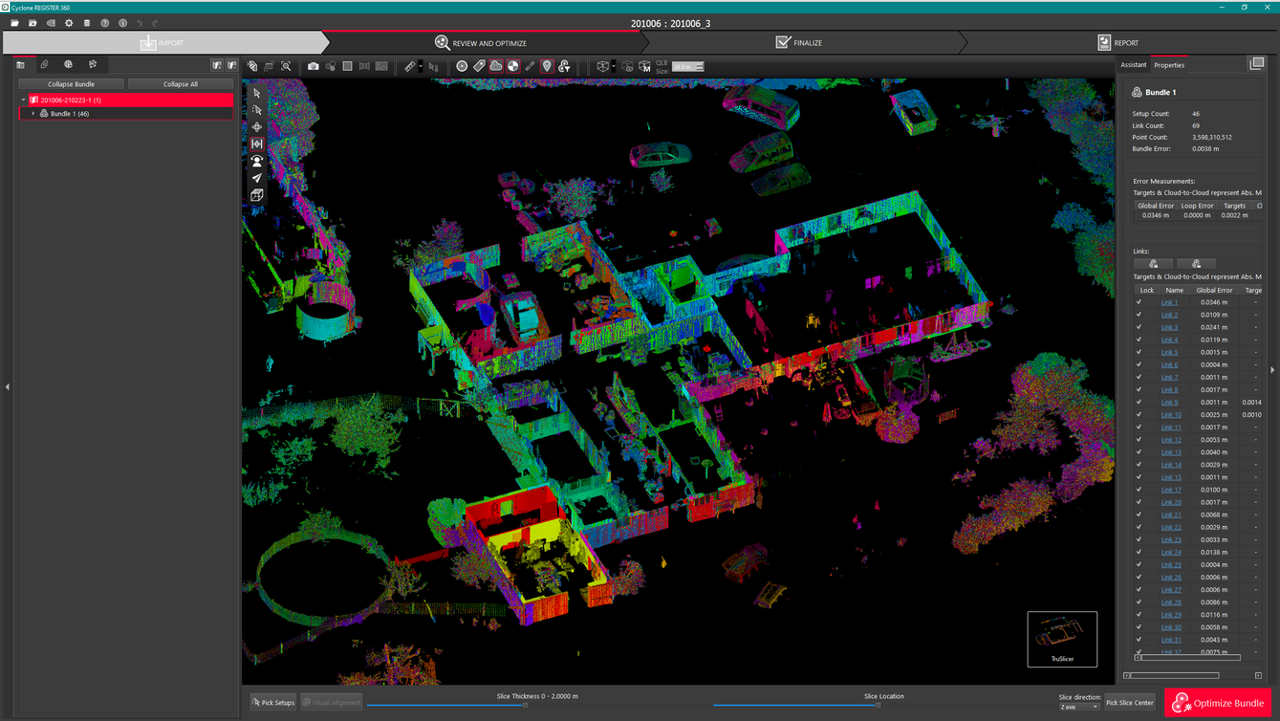
Use horizontal slices to spot-check the registration.