January 10, 2026
What’s New
This is a major release featuring new GeoTags workflows, improvements and various bug fixes.
GeoTags
The new GeoTags represent a significant enhancement over the existing Field360 GeoTags, introducing improved functionality, a refined user experience, and optimized workflows. They are designed to ensure a fully lossless and seamless data flow across all products from Field to Desktop to Cloud so that information is consistently preserved, synchronized, and accessible throughout the entire workflow.
The new functionalities are:
Adding multiple attachments to a single GeoTag
Categorising the GeoTags with the help of custom values associated to colours
Better defining the Geotags adding extra fields with the help of the text categories
Check the Guided Workflow for more details about the new GeoTags functionalities
LimitBoxes syncronization with REGISTER 360 and scanners
The Limit Boxes feature, introduced in FIELD 360 version 6.1, enables you to define boundaries for your point clouds. This helps focus on specific areas and manage large datasets more efficiently.
For detailed information, refer to the release notes for version 6.1.
Version 6.2 introduces full synchronization support across all scanners and compatibility with Cyclone REGISTER 360 PLUS v2026.0.0 and newer. This ensures seamless integration between FIELD 360 and REGISTER 360 PLUS.
Any changes made in FIELD 360 are now respected when data is imported into Cyclone REGISTER 360 PLUS, maintaining consistency throughout your workflow.
Cleaned point clouds can be restored easily in Cyclone REGISTER 360 :
From the Data Browser Tree, or by selecting the desired area using Fence Mode.
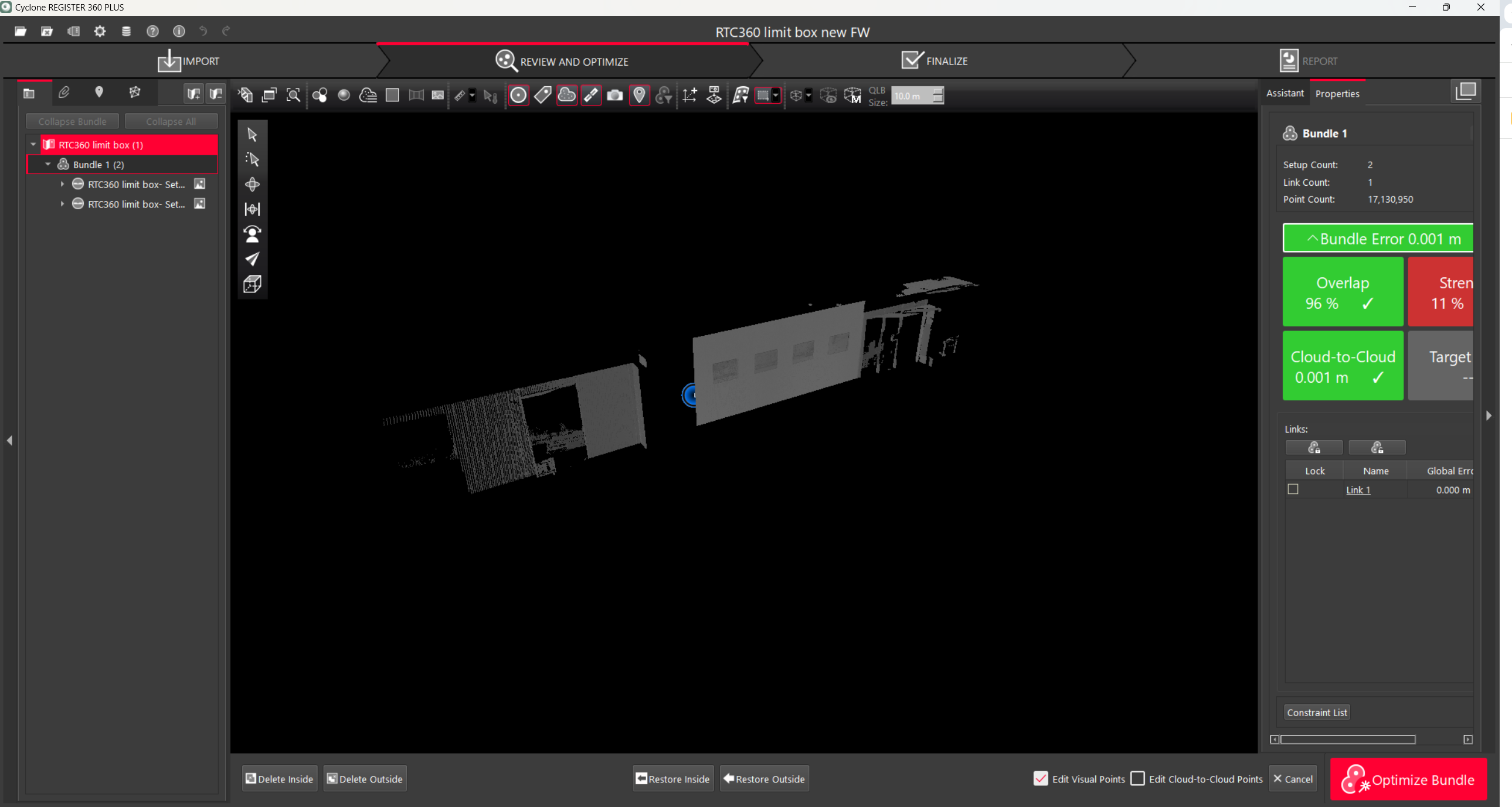
Restore Deleted Points option
Cable Connection support between RTC360 and FIELD 360 (iOS only)
In collaboration with the RTC360 team, we are excited to announce support for a direct cable connection between the FIELD 360 app and RTC360 scanners. This enhancement provides a stable and efficient data transfer option, especially useful in environments where wireless connectivity may be limited or blocked.
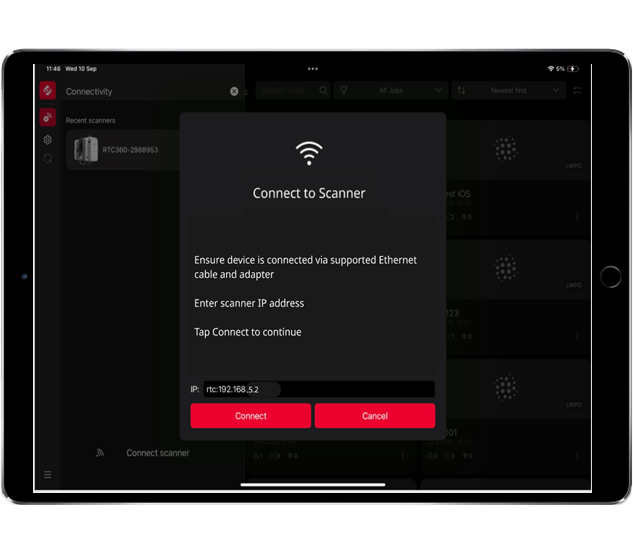
Connecting to RTC360 scanner via Ethernet cable
For detailed steps and best practices, please refer to the Guided Workflows section: FIELD 360 Cable Connection to RTC360 with Apple iOS Device.
Please note: Firmware v. 7.02 is required for cable connection
Automatic Support Ticket Creation
When submitting a Service Report of your BLK device (except BLK360 G1), a support request is automatically generated and sent to the technical support team of your region to ensure faster processing and quicker assistance
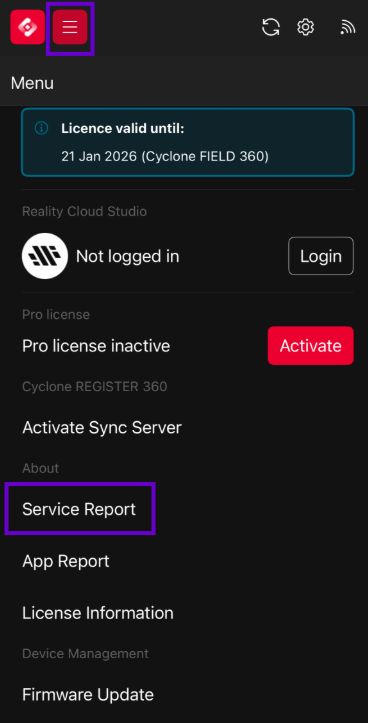
Submit a Service Report
Improvements
Colors by Setup for Alignment Quality. A new Colors by Setup option is available to visually check the quality of alignment between setups. This feature becomes active when you enable the Slicer in the 2D view.
Project Deletion from Kinematic Scanners. You can now delete projects directly from kinematic scanners, ensuring full BLK Live app parity for streamlined project management.
Various bug fixes to enhance overall perfomance and reliability
Compatibility
Leica Cyclone REGISTER 360 PLUS 2025.1.0 (or higher) or Leica Cyclone version 2023.1.0 (or higher) to support data import.
Leica Cyclone REGISTER 360 PLUS 2025.1.0 (or higher) is required to support the new GeoTags workflow.
Recommended Hardware and Software Specifications
Android tablet or phone running on Android 11.0 or higher on 64-bit ARM architecture with 64-bit operating system and at least 4GB of RAM.
Recommended devices:
Samsung Galaxy Tab S8 and S9
Samsung GalaxyS24, S25 series
Apple iPad or Apple iPhone running on iOS18 or higher with 64-bit operating system and at least 4GB of RAM.
Recommended devices:
iPad Pro (2022, 2023, 2024, 2025) and iPhone 13, 14, 15, 16, 17 series.
For first generation BLK360 scanners, iOS devices are recommended.
Licensing
Leica Cyclone FIELD 360 6.2 requires an active Cyclone REGISTER family or Cyclone FIELD 360 license for activation.
Leica Cyclone FIELD 360 Pro is required for use of the plug-ins (FF/FL and QuickPlan).