Import 6 clouds
Import the files "ImportCloud-1.asc" to "ImportCloud-6.asc" (download).
Open the menu File and click on New.
Open the menu File > Import
Choose Add files and select all the files from ImportCloud-1.asc to ImportCloud-6.asc by pressing the Shift key and click on Open. It is also possible to drag and drop the files into the Import window.
Click Import.
Six independent clouds are created in the Cloud Group.
Merge the 6 clouds
They can be merged into one unique cloud.
Select the 6 clouds and go to Merge Clouds.
Choose whether to keep the colors of the clouds in smooth representation or not. The option is automatically selected if real color information is already present in clouds.
Validate the result with OK.
You obtain one cloud in the tree, replacing the 6 selected clouds.
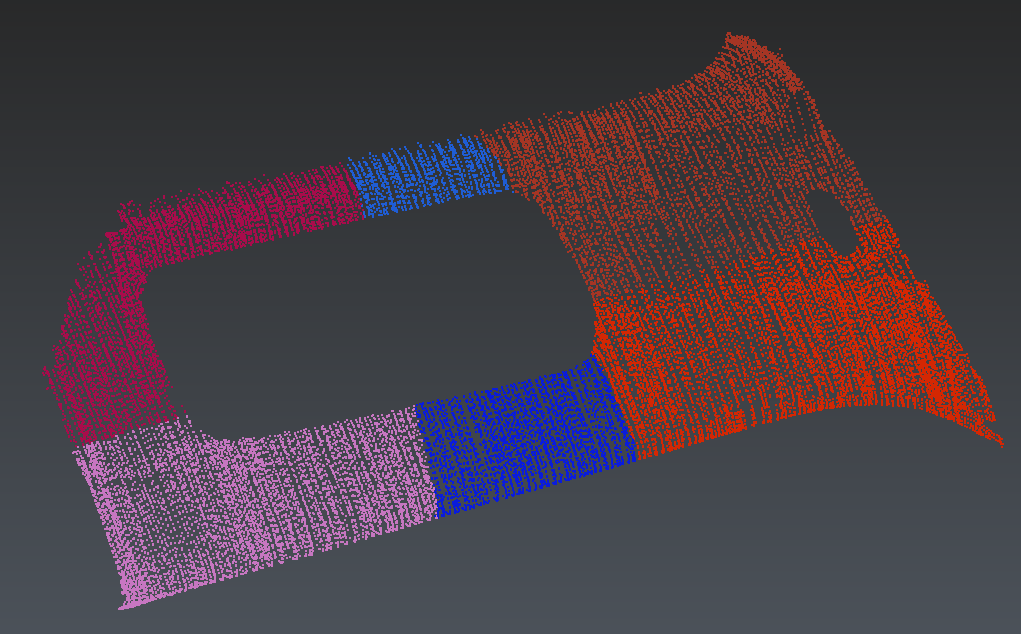
Merged cloud keeping the initial color of each cloud
GroupYou can select all clouds, right click and use the command Group from the contextual menu or via the shortcut CTRL + G.