This command enables you to edit cones with some constraints.
Requirements
Select a cone and launch the command, double-click on a cone to automatically launch the command.
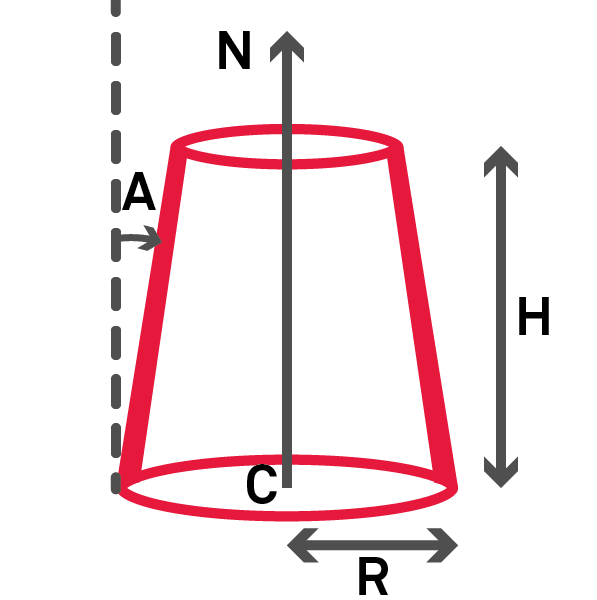
Edit the:
Center (C) with Define points.
Axis (N) with Define normal direction.
Radius (R).
Angle (A).
Height (H).
Notes
You may encounter an error: "Impossible to compute a cone with an angle equal to x°" that prevents from creating a self intersecting cone.
Tips & Tricks
A "Manipulator" is displayed in the command. Please refer to the Free Move command to have more details on it.
Technical information
Fig. cone parameters