This command enables you to draw / create cones with some constraints.
Requirements
No selection is required to launch the command.
Click some points in the scene.
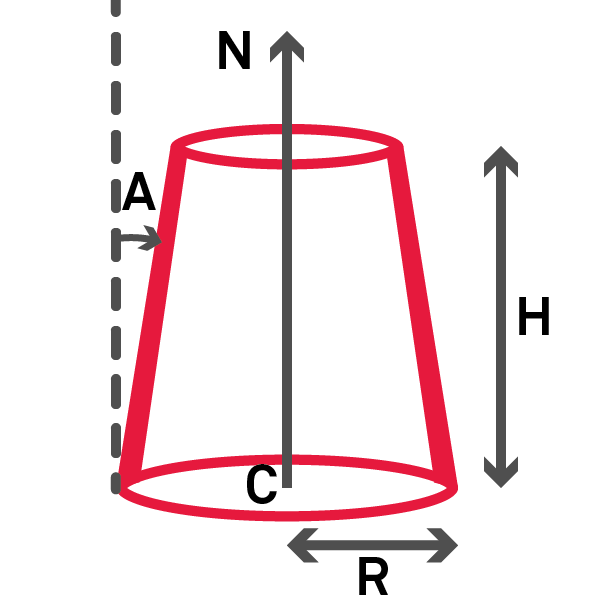
You can force parameters (Center C, Axis N, Radius R, Angle A, Height H) by clicking on the locks:


Notes
Fixed parameters are not compatible with more than 4 points clicked.
You may encounter an error: "Impossible to compute a cone with an angle equal to x°" that prevents from creating a self intersecting cone.
Construction rule
Technical information
At least 4 points are required.
Number of clicked points
Rule
N = 4
The first three points define the base circle.
The fourth point is used to calculate the angle and length.
N > 4
A best cone is done with all the clicked points
Fig. Cylinder parameters