Open the file EnterPoints.3dr (download).
This file contains the point cloud of a round black and white target. The point cloud is displayed in the “Intensity” representation in order to show the difference of intensity.
Launch the command Point and select the option Surveying Target. Select With checkered pattern in the type list and a diameter of 0.1 m. Click a point on the target close enough to the center (Target 5 - Checkered pattern). The center will be automatically computed and a new point created.
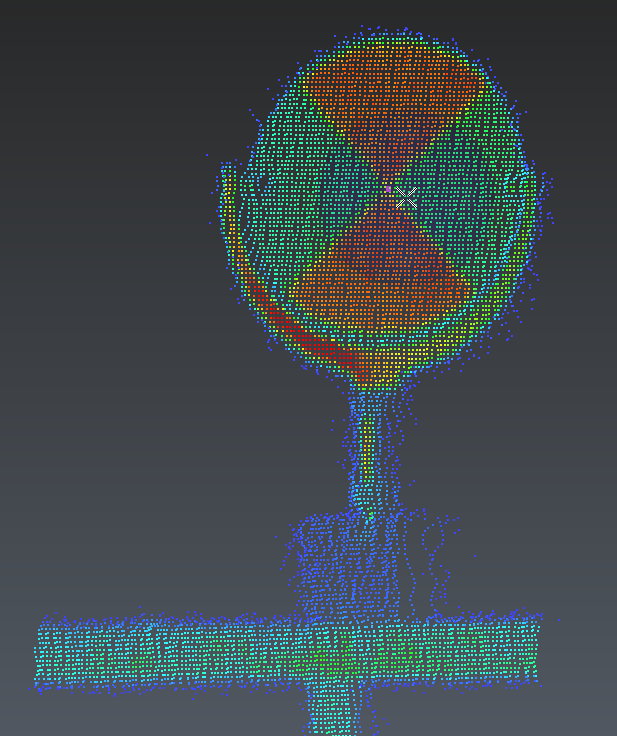
Automatic extraction of target center
The target extraction works on black and white targets or blue and white targets only when the “Intensity” representation mode is available, because the center is computed by inspecting the difference of intensity in the point cloud. Extraction of spherical targets works on the geometry of the cloud.