Primary Toolset
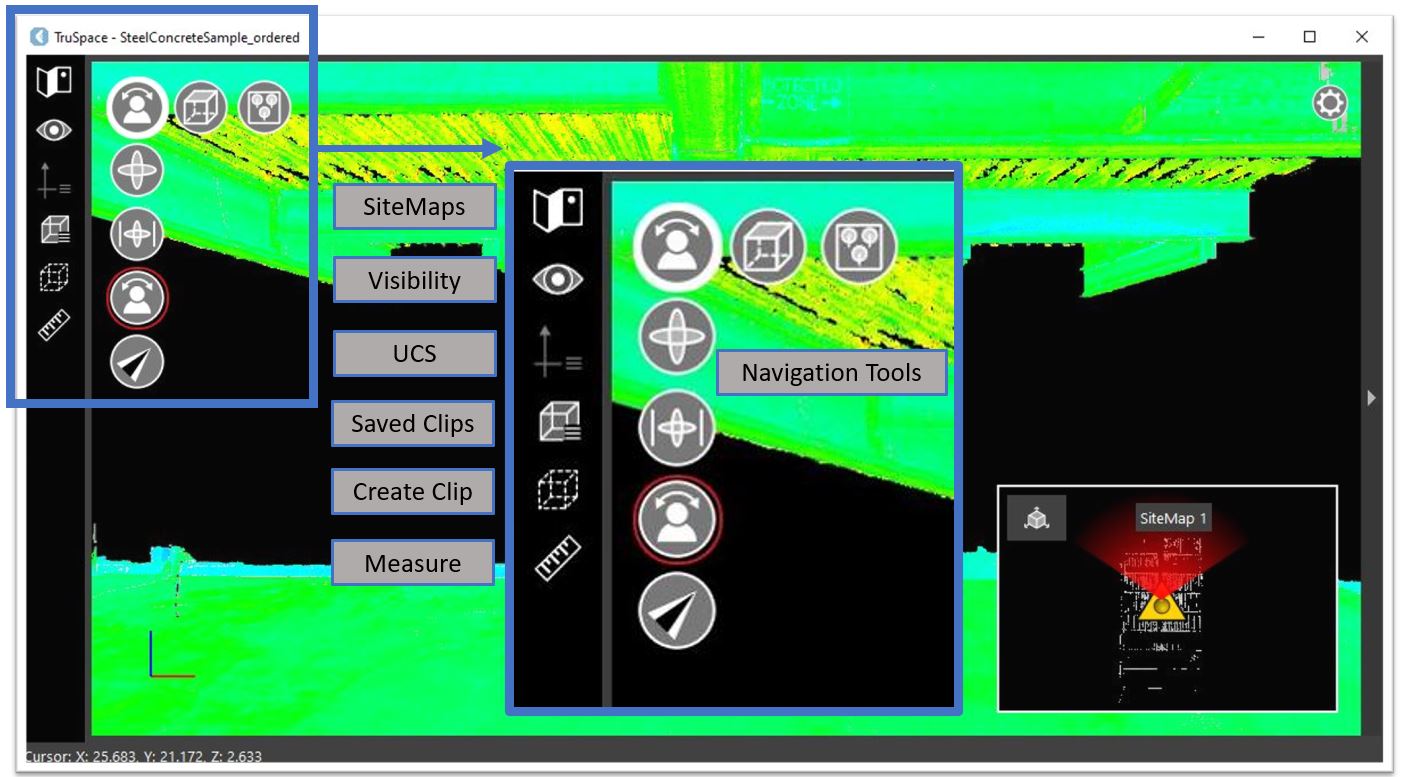
The primary tools are located on the left-hand side of the application. The navigation tools are located in the upper left-hand corner of the main viewing window.
Panels
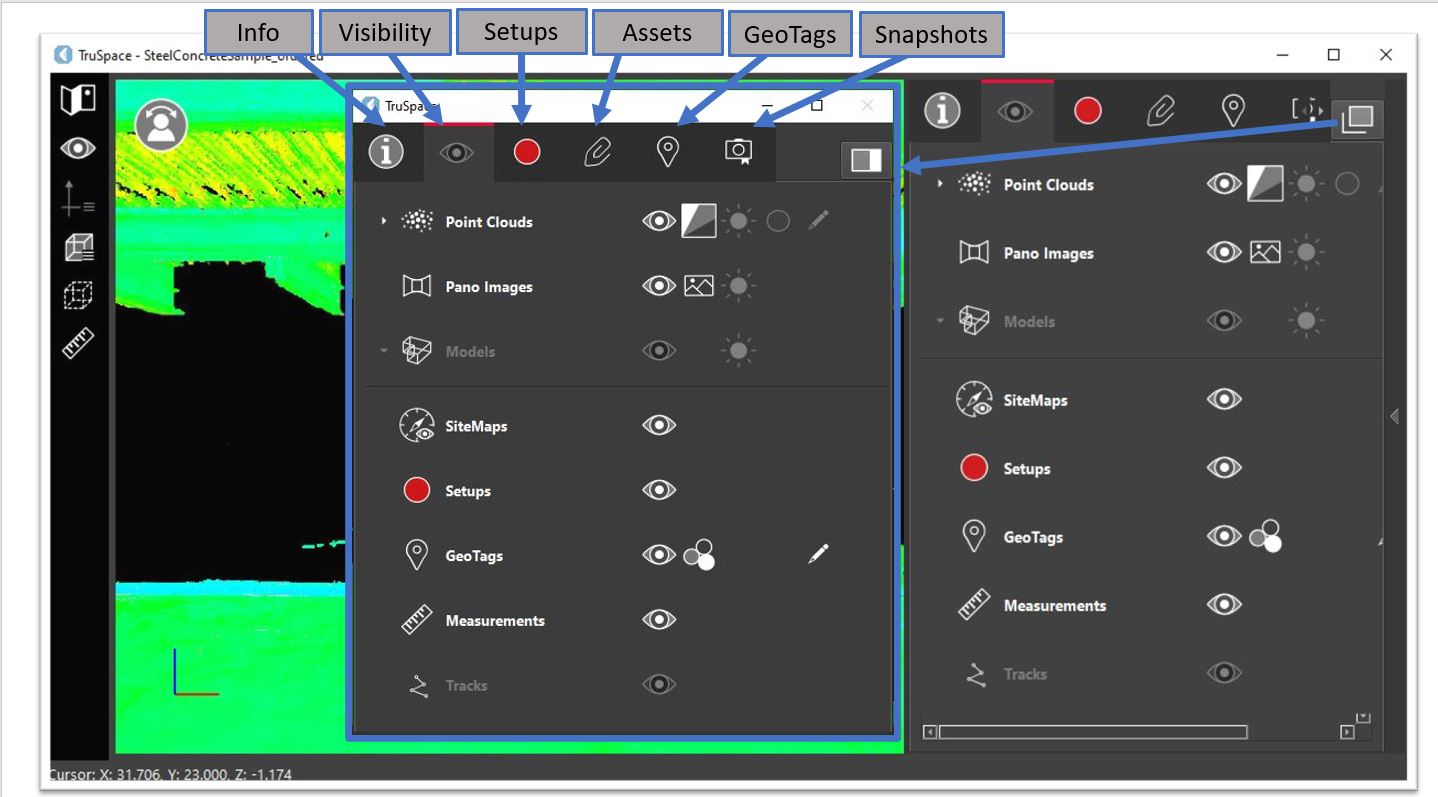
TruSpace includes a collection of panels on the right-hand side of the application, providing various functions and information related to the project:
Viewer Settings
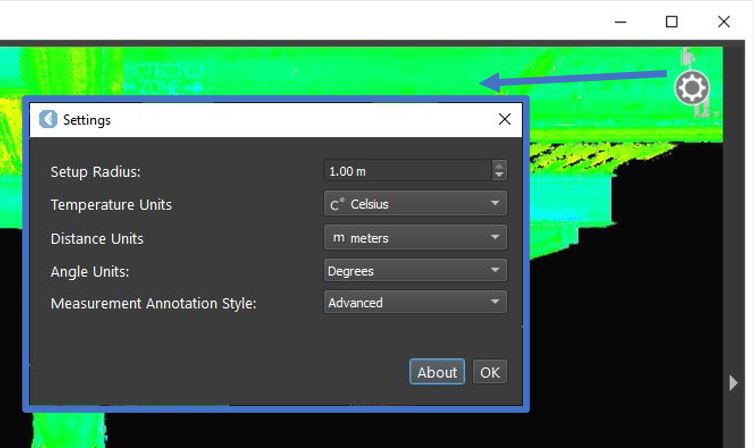
By clicking the gear button in the upper-right corner of the viewer, users can manage the following TruSpace settings:
Floating Toolbar
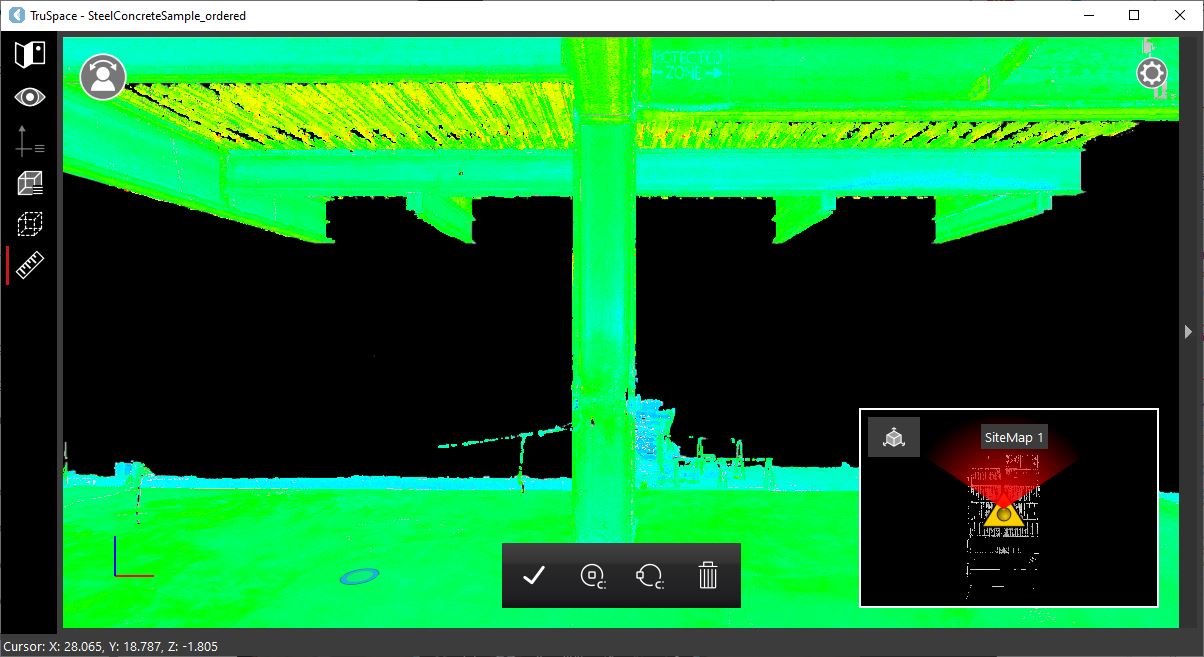
Floating toolbars will display when creating measurements.