---
title: "Pano Navigation mode"
slug: "truview-pano-navigation-mode"
updated: 2026-10-28T10:34:07Z
published: 2026-10-28T10:34:07Z
canonical: "rcdocs.leica-geosystems.com/truview-pano-navigation-mode"
---
> ## Documentation Index
> Fetch the complete documentation index at: https://rcdocs.leica-geosystems.com/llms.txt
> Use this file to discover all available pages before exploring further.
# Pano Navigation mode
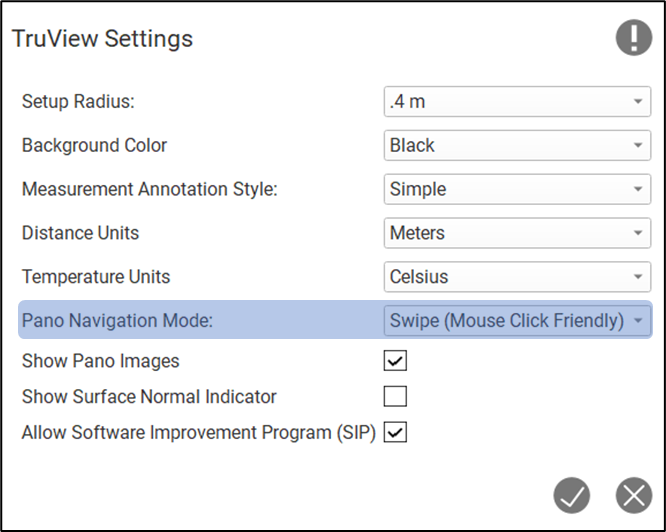
This setting can be used to switch between navigation modes while exploring pano images.
Swipe: A mouse friendly navigation experience. Moving the mouse right or left will pan in the same direction respectively.
Drag: A touch screen friendly navigation experience. Moving your finger to the right will pan left. Moving your finger to the left will pan right.