Cyclone ENTERPRISE allows for the customization of the following information from Administration | Server | Customizations.
Owner’s Home URL Address for Cyclone ENTERPRISE
Owner’s Privacy Policy URL Address (for example: https://leica-geosystems.com/en-us/global/privacy-policy)
Owner's name
Owner’s Email Address
Owner’s Phone Number
Owner’s Address
Use Customized Logo
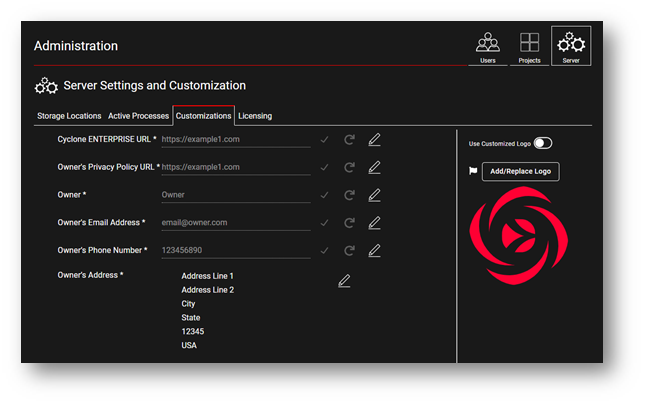
Setting Cyclone ENTERPRISE URL
Click on the “Edit” icon, enter your Cyclone ENTERPRISE URL and click “Accept”. The “Undo” command recovers the previous value.
Setting Privacy Policy URL
Click on the “Edit” icon, enter your Privacy Policy URL and click “Accept”. The “Undo” command recovers the previous value.
Setting Company's Contact Information
Click on the “Edit” icon for each field, enter the appropriate information for each of the fields and click “Accept”. The “Undo” command recovers the previous value.
Setting Company's Logo
Replace the Cyclone ENTERPRISE logo on the login screen with a PNG or JPG image of your choice.
Enable the customized logo feature with the on/off toggle.
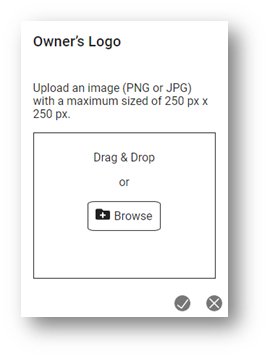
Click on “Add/Replace Logo” to add your company logo. The image can be a maximum size of 250 x 250 pixels.
Use the Navigation Tree to move to the next section or search for your desired topic.