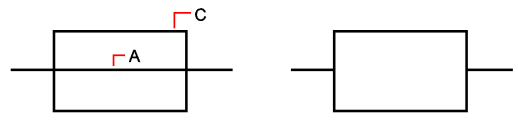
Function
Erases or extends portions of selected entities that cross a specified boundary. Lines, polylines, arcs and shapes can be used as the cutting or limit entity. Running the command will either trim or extend depending if it intersects.
Procedure
There are two methods to offset entities:
Run command first
Select the item(s) to trim or extend
Press enter when selection made
Select the boundary item to trim or extend to
Right click or press enter to end command
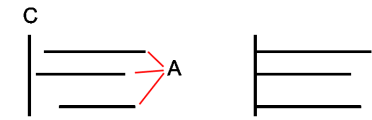
Preselect item to trim/extend
Select item to trim or extend
Click on command for trim/extend
Select boundary item to trim or extend to
Right click or press enter to end command