Function
Draws a 2-point rectangle aligned to X,Y axis
Procedure
First left click defines the start of the rectangle
Second left click defines the opposite corner and aligns automatically to X,Y axis.
Select the rectangle to modify its size, position and rotation with the grips.
Modifying Properties
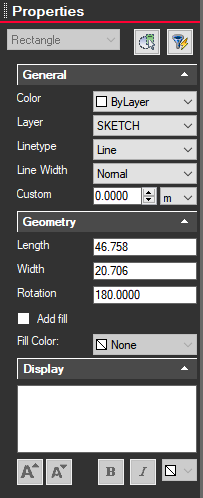
Clicking on a rectangle will bring up information on the left side Properties panel. From here you can change the line color, layer, line type, width, dimension, add fill and text label.