Function
Draws a single point entity.
Procedure
Define location of point on screen by left clicking in the drawing area
Pressing spacebar will repeat this command for additional points
If you know the coordinate value you can type a two-dimensional X,Y coordinate point or three-dimensional X,Y,Z coordinate point location.
Modifying Properties
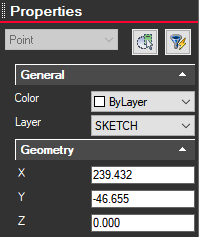
Clicking on a point brings up information on the left side Properties panel. Displays XYZ coordinate and allows you to change color or layer.