Function
Use the Draworder Wizard to quickly fix common draworder issues in one easy-to-use command.
Procedure
Select the checkboxes for any options you want to process, then press OK.
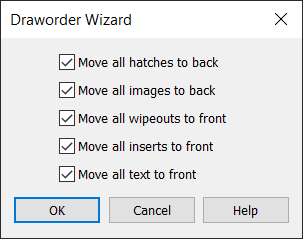
Each of the draworder operations are processed sequentially, in order from top to bottom as presented on the dialog - so if all of the options are selected (recommended), then after the drawing is processed all the text will be above the inserts, which will be above the wipeouts, which will be above everything else, which will be above the hatches, which will be above the raster images.
Move all hatches to back
Set the draworder of all hatch patterns to Back, behind everything.
Move all images to back
Set the draworder of all raster images to Back, behind everything (including the hatches).
Move all wipeouts to front
Set the draworder of all wipeout entities to Front, above everything.
Move all inserts to front
Set the draworder of all inserts (blocks) to Front, above everything (including the wipeouts).
Move all text to front
Set the draworder of all text, mtext, and dimension entities to Front, above everything (including the wipeouts and inserts).