Function
The user will identify blood stains on the image to include in the analysis. Each stain will be defined by 3 clicks and the trajectory line will be automatically calculated and drawn indicating the source of the blood drop.
Procedure
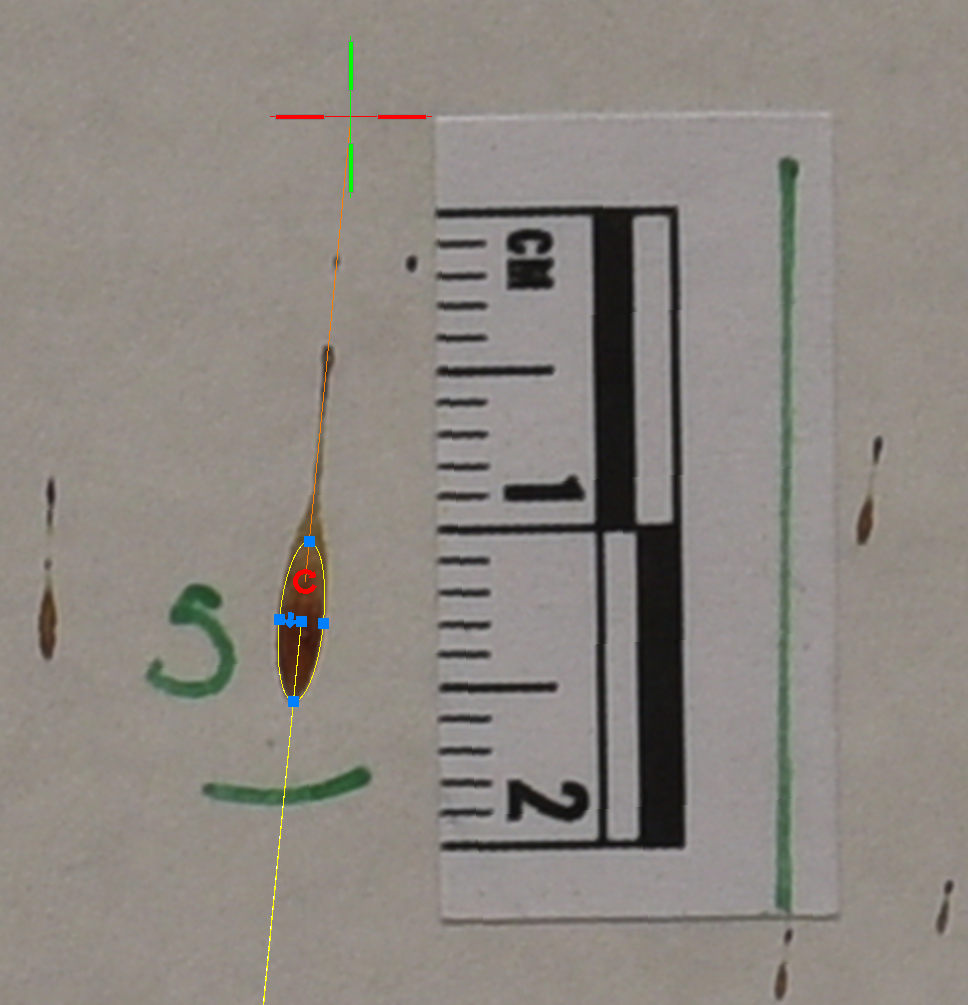
Draw Ellipses to Represent Blood Stains The user will identify stains to use in the analysis and draw and ellipse with 3 clicks to represent the blood stain.
Select the stain button from the ribbon. A small dialog will appear with the name of the stain. This name can be changed from this dialog prior to drawing the ellipse and it will increment as you continue to draw stains.
Click on the leading edge of the blood stain on the image. This is typically the rounded end.
Move the mouse along the direction of travel and click on the opposite end of the blood stain.
Move the mouse to adjust the width of the stain and click when the ellipse matches the blood stain.
The size and rotation of the stains are important to the analysis.
Once the stain is drawn, the trajectory line is computed and draw. The length and width of the stain are used to calculate the impact angle of the blood droplet (alpha). The directionality angle of the bloodstain (gamma) is also obtained from the ellipse.
Editing Stains
A user can select a stain anytime and the grips will appear for editing. There are four grips to adjust the length and width independently. There is also a move grip to adjust the position of the ellipse over the stain, and rotate grip to fine tune the direction of the stain. An arrow grip is provided to flip the direction of the stain and a small arrow grip is located at the end of the trajectory line to lengthen or shorten the line.
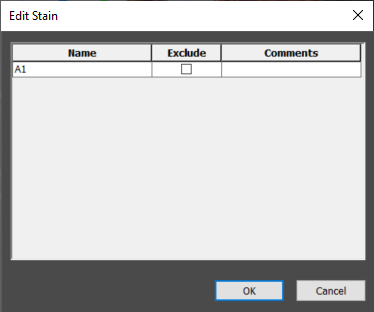
If a user double clicks on a stain the edit stain table will appear. A user can change the name of the stain, exclude a stain from analysis, and add a comment. This comment will be displayed in the convergence dialog as well as the stain report. If a user adds an excluded stain to the convergence analysis, it will show up in the dialog with the exclude checked and will not contribute to the results.
Ok will apply changes and close editing. Cancel will close editing and no changes will be made.