
March 16, 2026 | Reality Cloud Studio
New features
Preview GeoTag attachments
New and existing GeoTag attachments of type PDF, Image, and Text can now be viewed directly within Reality Cloud Studio.
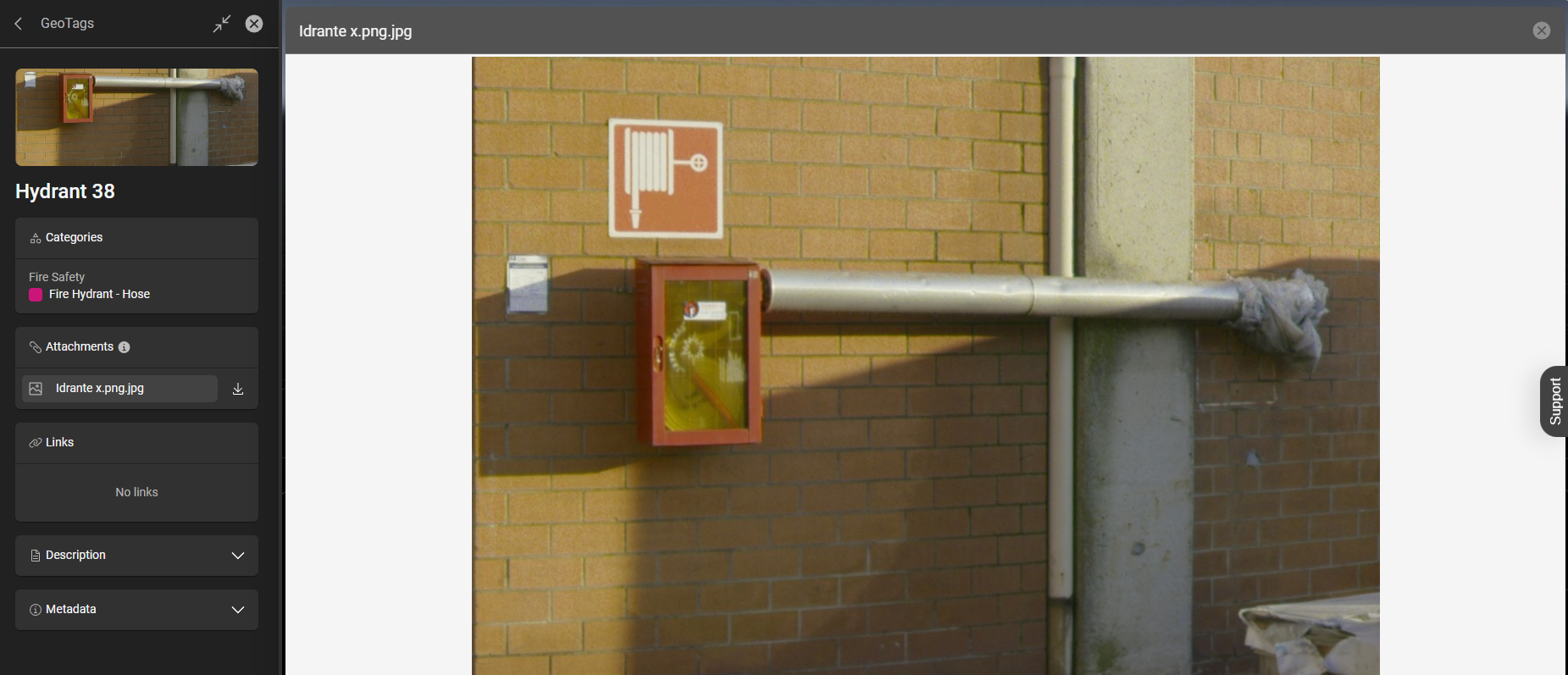
Preview of an image attached to a GeoTag
Users can now view supported attachment types directly within Reality Cloud Studio, without leaving the application. Supported formats are:
Images: JPG, JPEG, PNG, GIF
Text files: CSV, TXT (UTF-8)
Documents: PDF
This makes GeoTag attachments much more practical for collaborative workflows — for example, a team member sharing a scene with GeoTags containing PDF reports or photos can now have reviewers view those files in context, in the browser, without any extra tooling.

Known limitation: Attachments cannot be viewed immediately after upload — a refresh of the page is required before the viewer becomes available.
Data Flow version 2.22.23
Bug fixes
Fixed an issue where uploading an asset via Data Flow incorrectly displayed a warning and an "Upload incomplete" message during an active upload. The progress indicator now correctly shows a loading spinner, consistent with the behavior in the Reality Cloud Studio web UI.
Fixed an issue where project were displayed with a delay first time after login.
Improvements
GeoTags — automatic visibility on "Locate in View"
When using Locate in View on a GeoTag, the GeoTag is now automatically made visible if it was previously hidden. Previously, the action would only navigate the camera to the GeoTag's position without revealing it.
Category manager — clearer error handling on duplicate names
Users now receive a clear error message when attempting to create a category with a name that already exists — even across different category types (e.g. a List and a Text category sharing the same name). Previously, the user would be silently blocked with no feedback.
Help Menu — Refreshed Links and Navigation
The Help menu has been streamlined. The Help entry now links directly to the Reality Cloud Studio documentation. Outdated and incorrect entries have been removed. “Customer support” button was removed” leaving “Support” drawer on the right side.
Bug fixes
Project invitation — autocomplete search results
Fixed the member autocomplete in the Project Invitation flow. Two issues were addressed:
Searching by name now returns accurate, relevant matches. Previously, searches returned unrelated users with no clear correlation to the typed input.
Searching with an empty string no longer returns a large list of users. An empty search now correctly returns no suggestions.
Scene Editor — keyboard input in transformation fields
Fixed an issue where the numeric input fields for scene node transformations (position, rotation, scale) did not correctly accept keyboard input. WASD keyboard navigation within scenes was also affected and has been restored.
Scenes
Fixed an issue where creating a new scene with assets at widely different locations did not automatically place them close to each other in the viewer. Assets are now correctly co-located upon scene creation.
Deviation Analysis — missing error feedback
Fixed an issue where a failed deviation analysis did not display any error message or notification in the UI. An appropriate error notification is now shown.