
December 17, 2025 | Reality Cloud Studio
New features
Import GeoTags from LGSx file
During the upload of an LGS or LGSx file to a HxDR Reality Cloud Studio, the import process extracts any GeoTags and their full data and metadata (name, description, categories, attachments, links) for viewing, editing, or deletion.
For GeoTags created or modified in the following field or desktop software versions (and older), the legacy text fields for Category, Label, and TagID/Index will be imported as “Categories” of those names and of the free text type:
Cyclone REGISTER 360 PLUS (including BLK Edition) v2025.0.1
Cyclone ENTERPRISE v2025.0.0
TruView Desktop v2025.0.0
TruView Cloud & TruView Enterprise v2024.0.3
LGS Converter Utility v2024.0.1
TruView Pack&Go v2023.1
Copy GeoTags from one asset to another
“Copy all GeoTags to another data set” command is now available in the GeoTags tab for the roles of Project owners and Editors, that will allow to copy GeoTags from any data set in the company account. This feature supports bulk copying of multiple GeoTags, ensuring consistency and reducing manual effort.
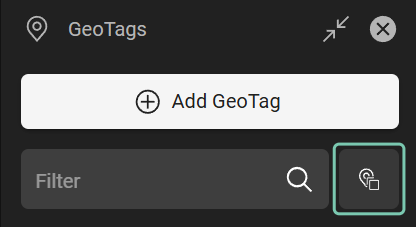
“Copy all GeoTags to another data est command
After the command is launched, the “Copy GeoTags” dialog will open giving the option to select a data set from which the GeoTags would be copied to currently opened data set.
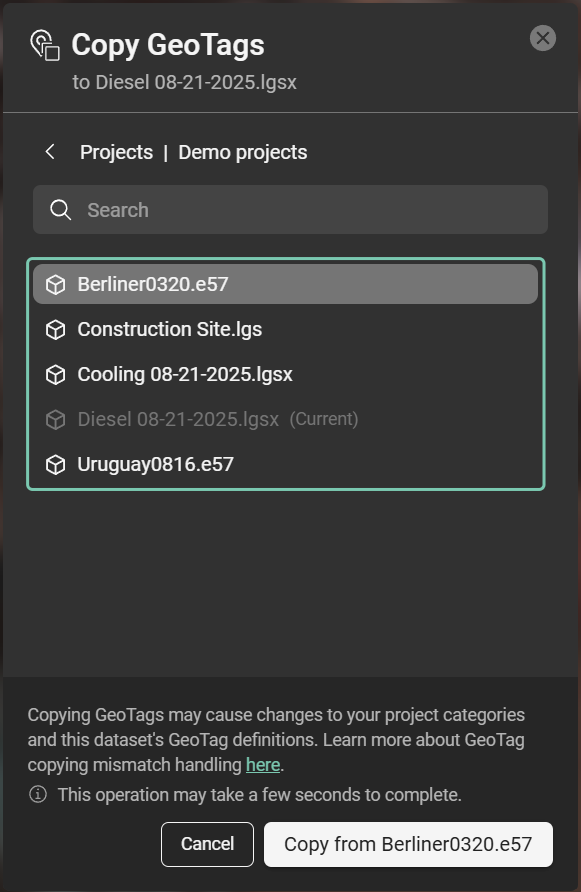
Copy GeoTags menu