Summary
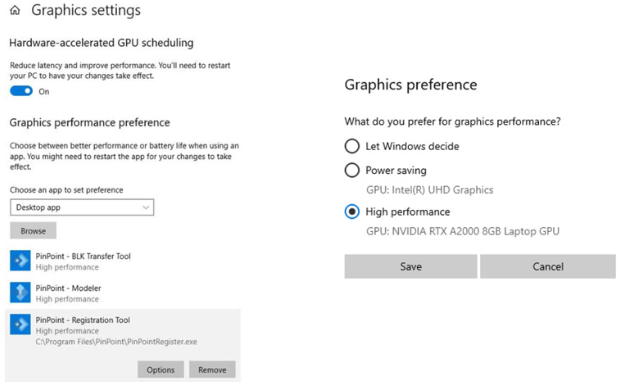
To ensure optimal performance, it is required to configure the graphics card to high performance for each PinPoint module.
Solution
To set the graphics card to high performance, follow the steps below:
Open Windows Settings and navigate to System | Display | Graphics.
Browse PinPoint software located by default at this path: C:\Program Files\LeicaGeosystems\PinPoint.
Once added, change the option to High performance.