New features
Measurements in scenes
The measurement tools previously available on asset page are now available inside scenes as well. You can use the same advanced measurement components you are already familiar with, directly on the scene view.
Measurements are anchored to the scene root and persist between sessions, so they stay in place even when individual datasets are repositioned within the scene.
More ways to create a scene
Three new commands let you create a scene from different starting points: an existing project, a selection of assets, or a blank slate. See Create a scene for the full documentation.
Create a scene from a project
Turn an entire project into a scene in one step using the new Scene from project command. The folder hierarchy is mirrored as grouped nodes in the scene tree, so there's no need to drag assets in one by one. Supported asset types (point clouds, meshes, and BIM) are included automatically; other formats are skipped.
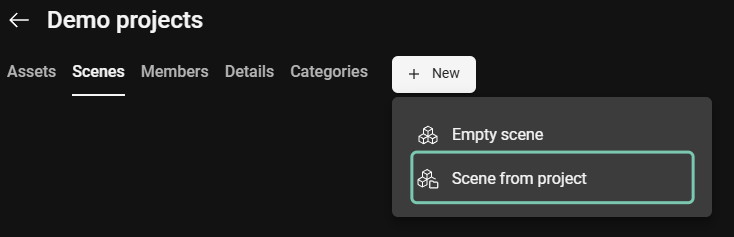
Create a scene from a project structure
Create a scene from selected assets
Create a scene directly from assets selected in the Asset tab using the new Create new scene from selected assets command in the context menu. Useful when you already know which data sets you want to work with.

Create a scene from selected assets
Create an empty scene
Start a scene with no data sets and add them as you go, using the new Empty scene command. Useful for preparing a focused view for a stakeholder review, isolating a specific project area, or working with a subset of data from a larger project.
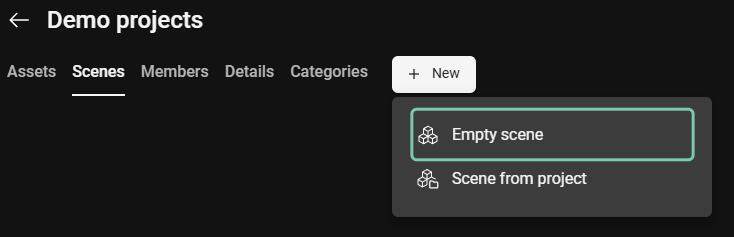
Create an empty scene
Known issue: When working with an empty scene, typing scale values that start with 0 (e.g. 0.001) directly into the scene editor's input field may not be accepted. As a workaround, use the scale controls or drag on the text field to set the value.
Improvements
Improved performance for large scenes - Working with large scenes is now noticeably faster and smoother. Even scenes with a very high number of nodes open quickly and remain responsive as you navigate, letting you stay productive on complex projects without waiting for the viewer to catch up.
Clickable setups on the SiteMap - Setups are now rendered directly on the SiteMap and can be clicked to jump straight to that location in the asset view, making navigation noticeably faster.
Streamlined entry to Hexagon GeoCloud - Visiting hxdr.app (or hxdr.app/dashboard) now redirects you straight to geocloud.hxdr.app, skipping the legacy HxDR dashboard. Existing deep links (e.g. project and asset URLs) continue to forward correctly, and hxdr.app/catalog still routes to the Content Program as before.