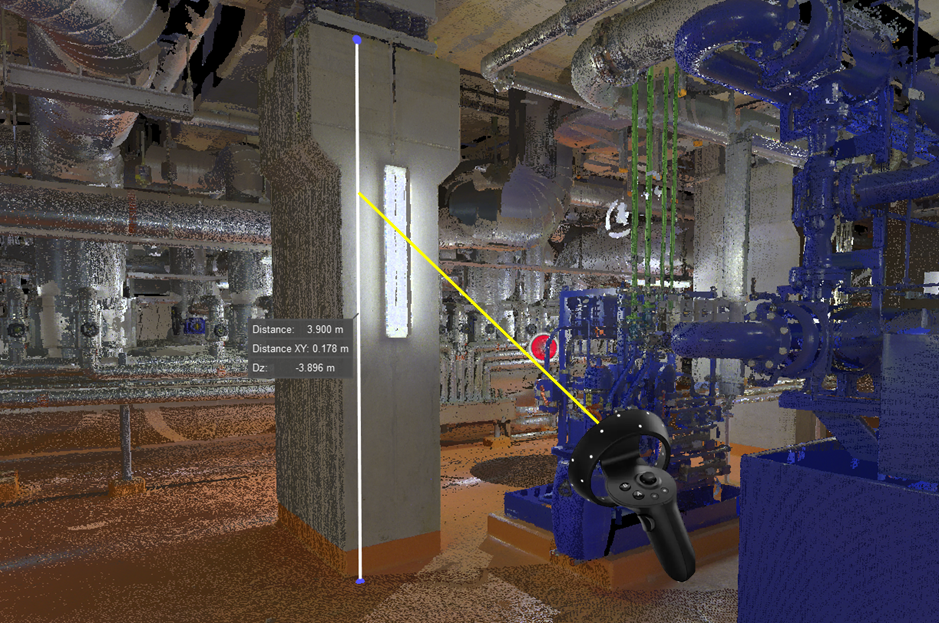
The linear measuring tool can be used at any time by pressing the A Button on the HP Reverb controller or the Side Grip Button on the HTC Vive controller. When in measure mode, the laser pointer turns yellow when hovering over a measurable point. It will turn red if the laser doesn't hit anything measurable. TruView VR only allows for one measurement at a time.
Setup icons and pop-up panels are not measurable. GeoTags and point-clouds are measurable.
When in measure mode, the laser pointer will snap to the center of a point-cloud point, or to the true position of a GeoTag.
Measurement labels are always visible and are never occluded.
Measurement endpoints are always visible and are never occluded.
Measurement lines can be occluded, but the occluded parts are rendered as dashed lines.