---
title: "Measure Pipe Diameter (TruView Desktop only)"
slug: "truview-measure-pipe-diameter-truview-desktop-only"
updated: 2026-09-07T08:46:33Z
published: 2026-09-07T08:46:33Z
canonical: "rcdocs.leica-geosystems.com/truview-measure-pipe-diameter-truview-desktop-only"
---
> ## Documentation Index
> Fetch the complete documentation index at: https://rcdocs.leica-geosystems.com/llms.txt
> Use this file to discover all available pages before exploring further.
# Measure Pipe Diameter (TruView Desktop only)

Users can measure the diameter of a pipe via a one-click measurement tool. The tool is located in the measurement menu. Once the tool is selected, click on a pipe in the point cloud. The tool will output a diameter in the unit of measurement defined in the TruView settings. If the tool is unable to detect a pipe it will output an error message.
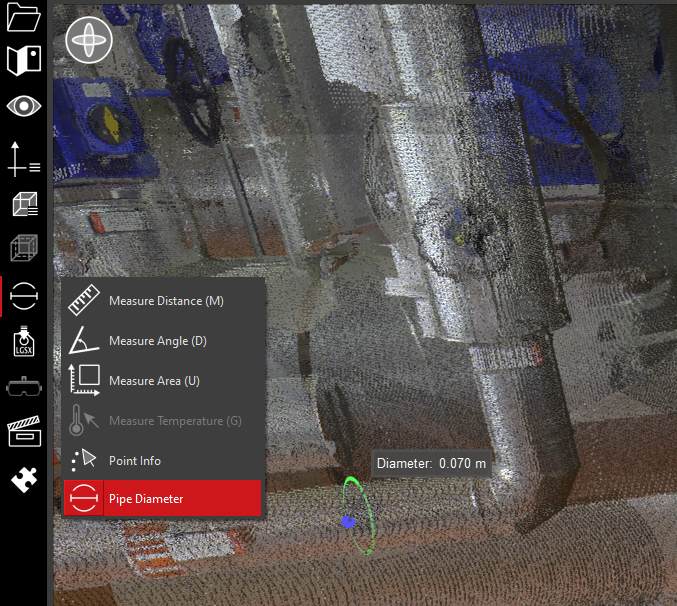
Mouse Control: In Measure Diameter mode, single left click on a cylindrical pipe in the point cloud.