---
title: "Capture"
slug: "truview-capture"
updated: 2026-09-07T08:46:33Z
published: 2026-09-07T08:46:33Z
canonical: "rcdocs.leica-geosystems.com/truview-capture"
---
> ## Documentation Index
> Fetch the complete documentation index at: https://rcdocs.leica-geosystems.com/llms.txt
> Use this file to discover all available pages before exploring further.
# Capture
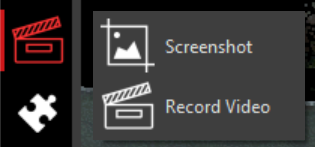
The Capture tools allow you to take a screenshot or record video of the main viewing window. It will not capture the toolbars or panel in TruView.
ScreenShot - Take a screenshot of the main viewing window
Record Video - Record a video of the main viewing window. Click the Record Video button again to stop the recording.