--- title: "Returning a License" slug: "pinpoint-returning-a-license" status: "new" updated: 2026-09-04T13:20:07Z published: 2026-09-04T13:20:07Z canonical: "rcdocs.leica-geosystems.com/pinpoint-returning-a-license" --- > ## Documentation Index > Fetch the complete documentation index at: https://rcdocs.leica-geosystems.com/llms.txt > Use this file to discover all available pages before exploring further. # Returning a License

Summary

To return a license:

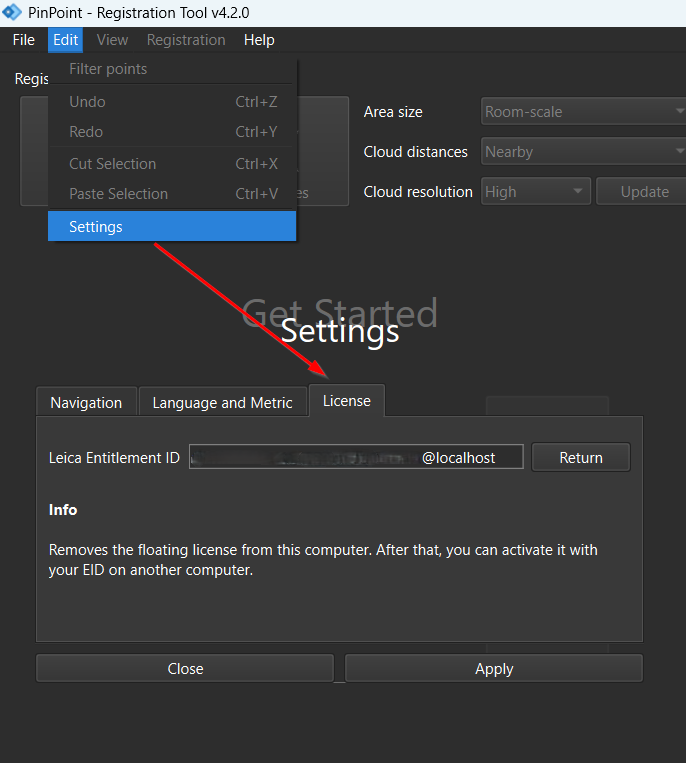
  1. From PinPoint Registration Tool or PinPoint Modeler, go to Edit | Settings | License | Return. image-20260408-081954.png
  2. Confirm the license return by clicking Yes.