
This is a weekly release including an improved GeoTag experience.
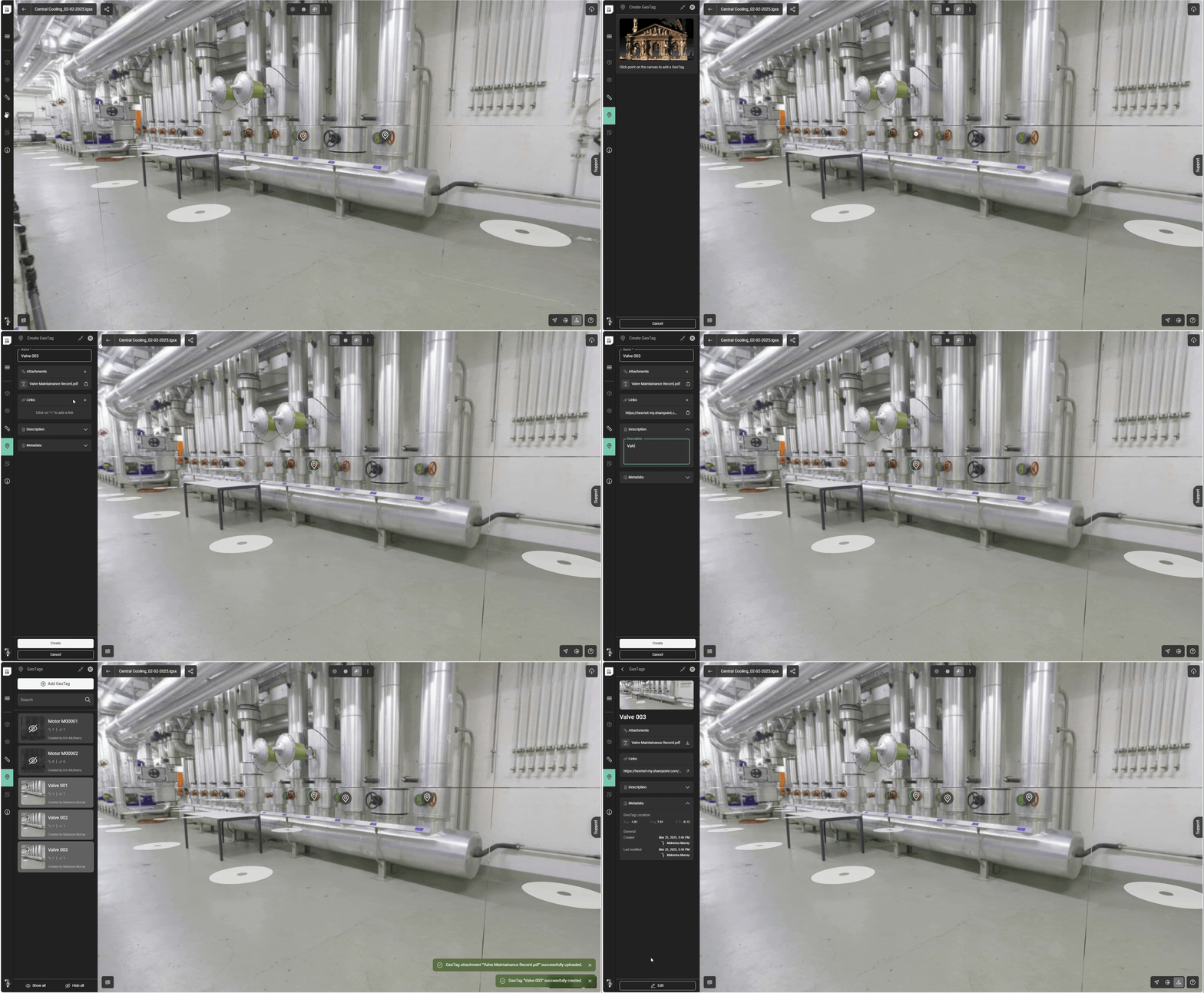
The GeoTag tool has been brought into closer alignment with the other Reality Capture products from Leica Geosystems including support for attachments and links and more comprehensive metadata.
Both links and attachments can be added in any quantity.
GeoTags now include the following sections:
Field | Mandatory/ Optional | Contents |
|---|---|---|
Name | Mandatory | String |
Attachments | Optional | Any file format (word, PDF, PNG etc.) |
Links | Optional | URL |
Description | Optional | String |
Metadata | Mandatory | Generated and maintained by RCS. GeoTag coordinates Created Date/Time Creator user Last Modified Date/Time Last Modified user |
To create a GeoTag:
Select the GeoTag icon.
Select Add GeoTag.
Enter a Name.
Optionally add attachments, links, and a description.
Upload and download of attachments will consume against an account’s quota.