Purpose
The aim of this page is to introduce you to the various surface analysis tools, so that you can choose the one or ones that best suit your needs.
Analyze Surfaces
Command | Description | Useful for | Input | Output |
|---|---|---|---|---|
Calculates the differences in level along a plane, in a given direction |
|
|
| |
Evaluates the local flatness of a surface to highlight bumps and depressions | Flatness assessment of :
|
|
| |
Evaluates the local slope at each point of the point cloud or each vertex of the mesh |
|
|
| |
Computes standardized Floor Flatness (FF) and Floor Levelness (FL) values according to ASTM E1155 |
|
|
| |
Plan Deviation | Calculates and visualize the deviations between a point cloud or mesh and a reference planar geometry |
|
|
|
Colors a point cloud or mesh according to its position along a user-defined direction. This command is primarily intended for visualization purposes rather than inspection. |
|
|
| |
Computes deviations between two objects in order to evaluate their geometric conformity. |
|
|
|
Customized deliverables from an analyzed surface
Once the analysis has been completed, it is possible to further extract information from the surface. Several built-in commands are available depending on the inspected element and expected output.
Gridded Inspection
Gridded Inspection generates a regular grid of inspection points from an analyzed mesh. Each inspection point in the grid contains the locally calculated inspection value (deviation, slope, etc.). Its computation requires an existing inspection on a mesh, and the results are sampled according to a spacing defined by the user.
It can be used to export inspection values to Excel or CAD software such as AutoCAD.
Integrated option
This function is also directly integrated into surface analysis commands, such as Surface Levelness, Surface Flatness and Slope Analysis.
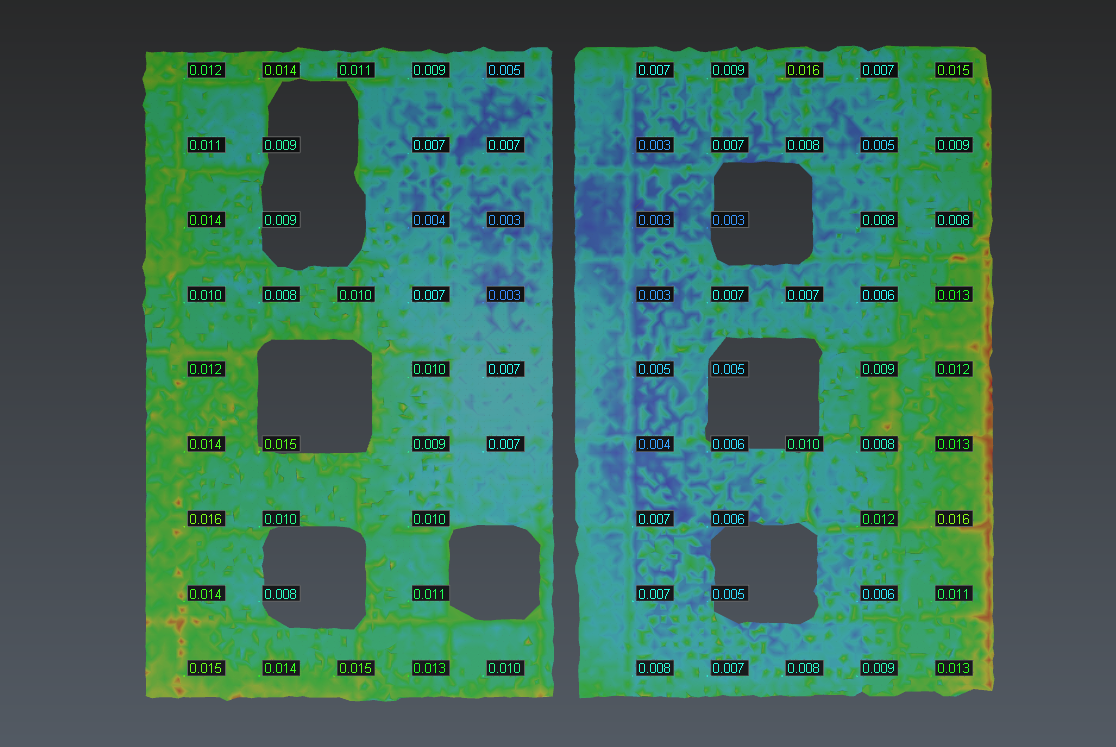
Regular grid generated from the scalar values produced by the Surface Levelness analysis
Localize Values
Localize Values identifies the minimum and maximum values of an analysis and extracts contour lines corresponding to user-defined value intervals.
These contour lines can be useful for locating bumps and depressions on a slab, checking deviation levels, and identifying areas that are outside the specified tolerance.
Contour lines/isolines are available only on inspected meshes.
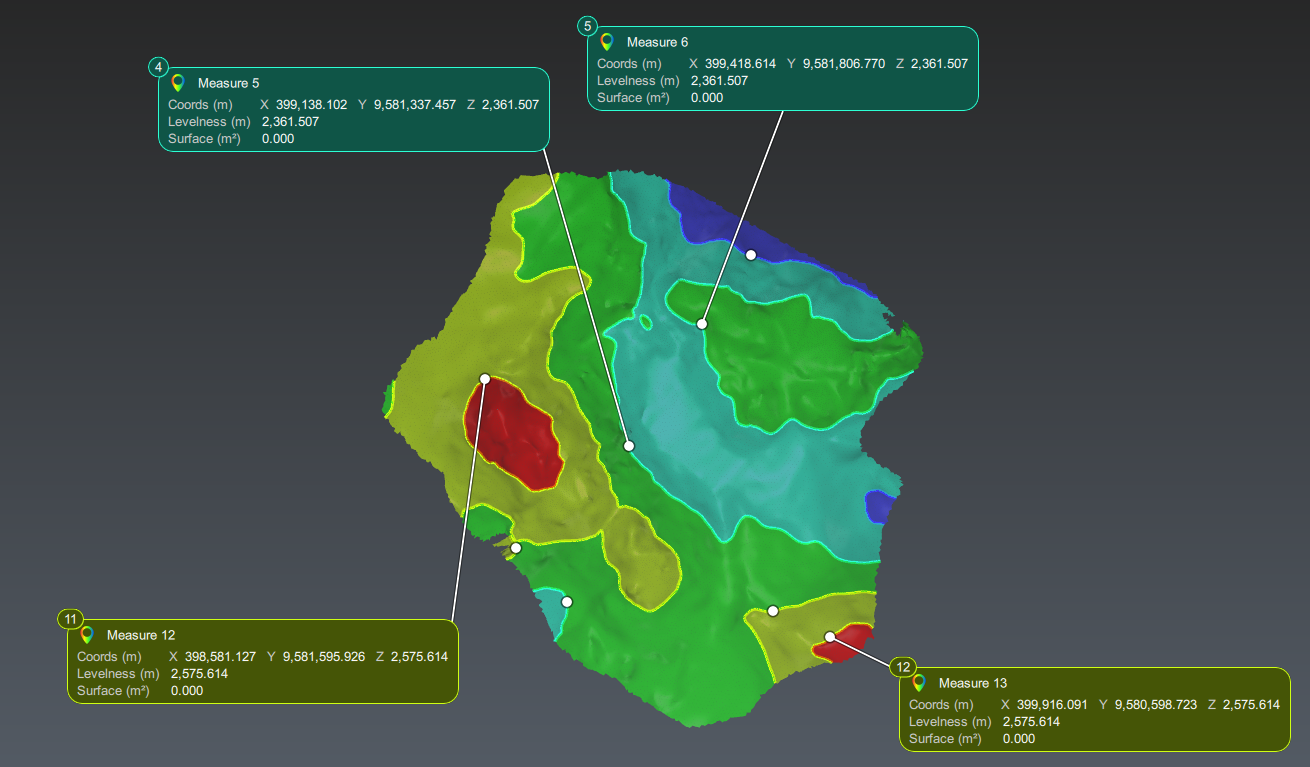
Extract contour lines based on scalar values
Statistics
Statistics produces a statistical summary of the inspection results (minimum value, maximum value, mean, standard deviation, value distribution, etc.).
The statistics are calculated from the values generated by the specific analysis (Surface Flatness, Surface Levelness, Slope Analysis, etc.).
It gives an overall assessment of the quality and uniformity of a surface.
Statistics can also be exported in a chart showing the distribution of inspection values by interval.
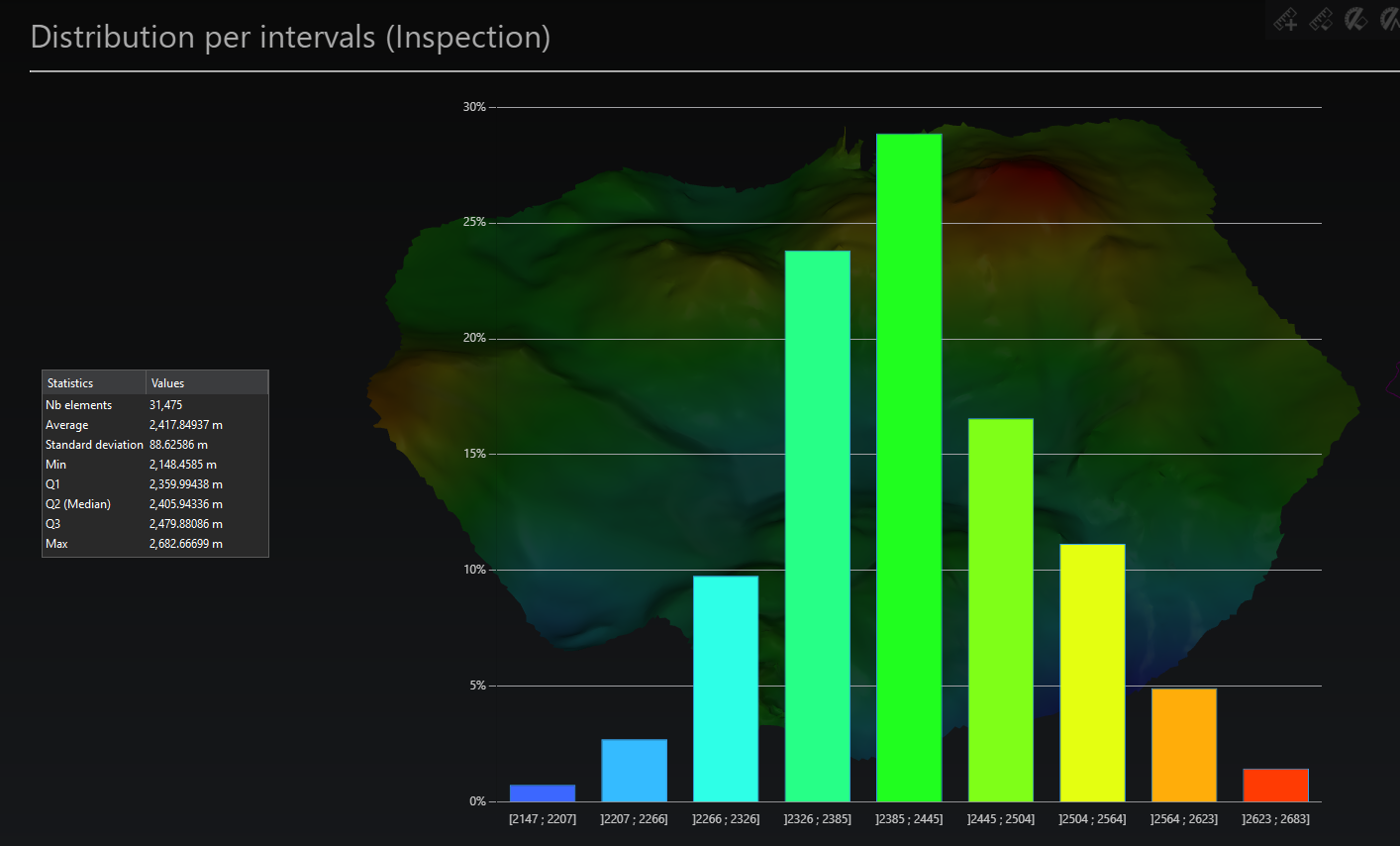
Distribution of values by interval
Projected Polyline
Any polyline projected onto a surface results in a polyline that follows the geometry of that surface.
If the surface contains inspection data such as that for Surface Levelness, Surface Flatness, or Slope Analysis, the polyline(s) can inherit these values through the Create Inspection Section function.
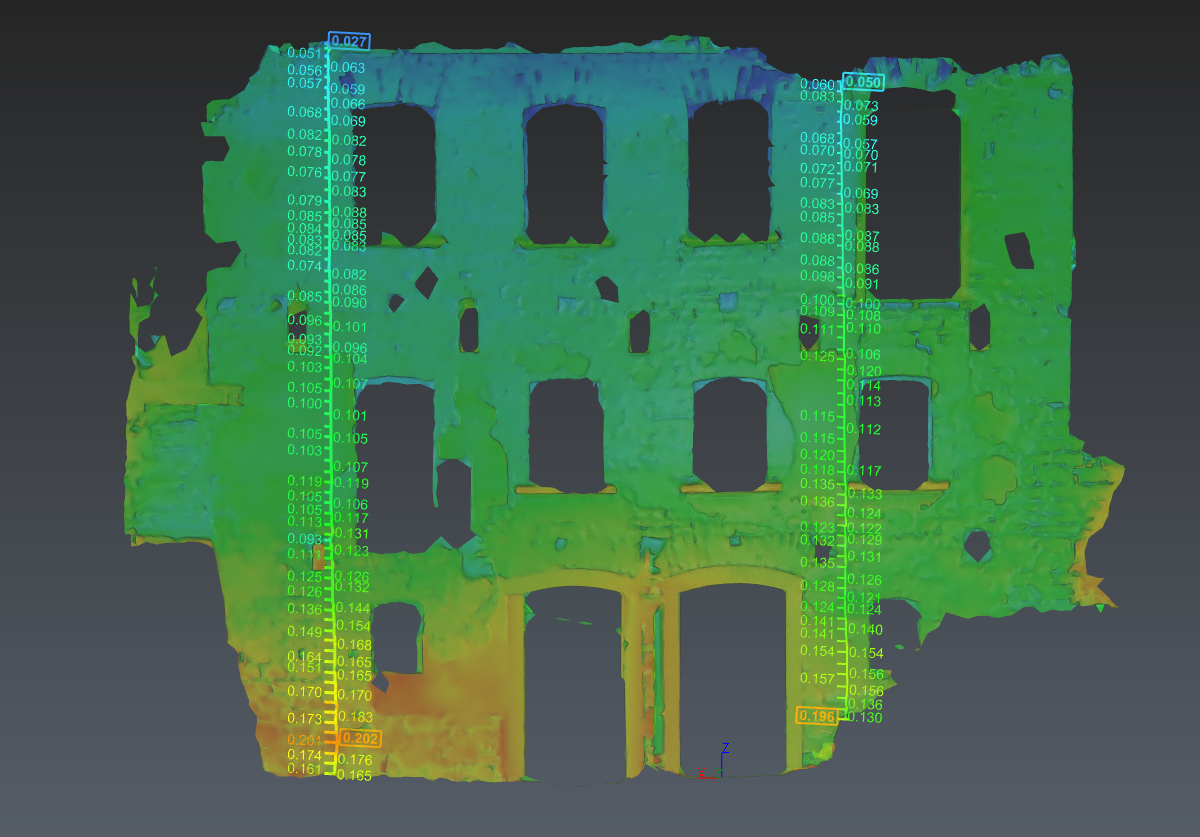
Polyline projected along a deviation map.