---
title: "Set Project Thumbnail"
slug: "cyclone-register-360-set-project-thumbnail"
updated: 2026-09-07T11:31:48Z
published: 2026-09-07T11:31:48Z
canonical: "rcdocs.leica-geosystems.com/cyclone-register-360-set-project-thumbnail"
---
> ## Documentation Index
> Fetch the complete documentation index at: https://rcdocs.leica-geosystems.com/llms.txt
> Use this file to discover all available pages before exploring further.
# Set Project Thumbnail
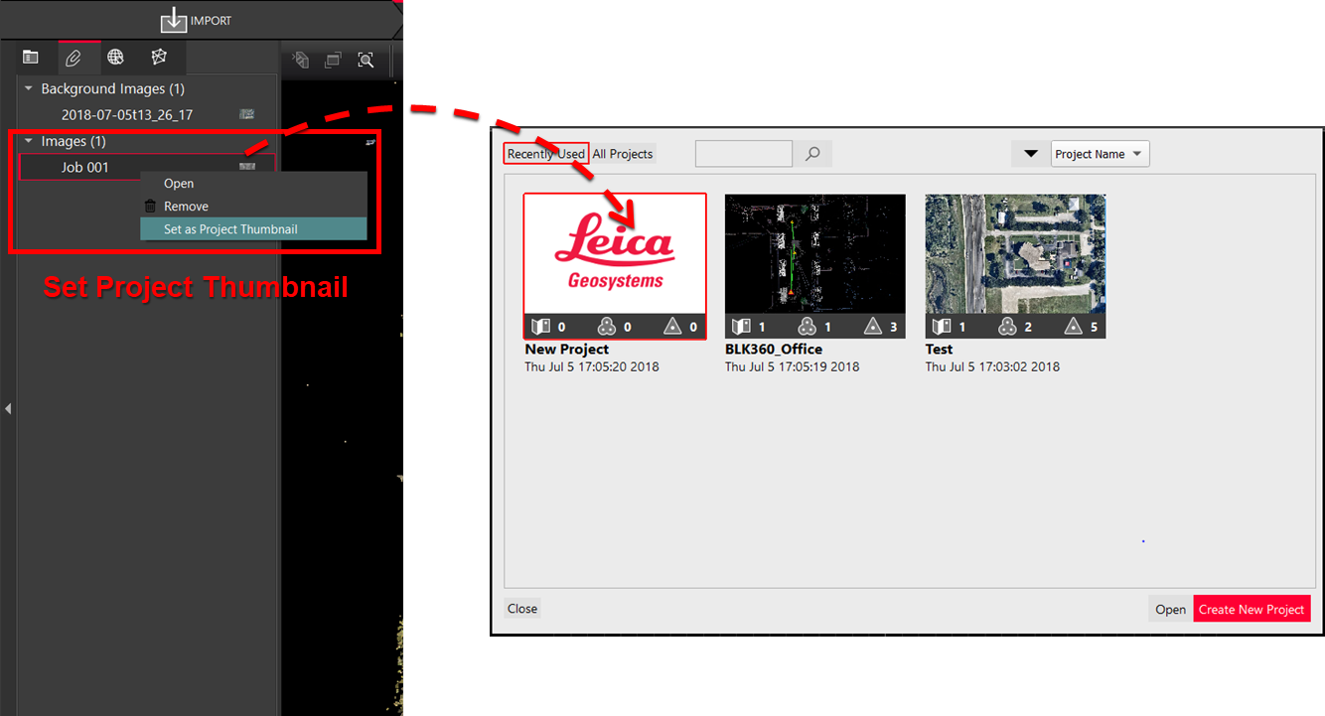
To simplify project identification, the user can set a project thumbnail from assets or the SiteMap following the steps below:
In the Review and Optimize section, navigate to the Assets tab and right-click the desired asset.
Select the Set as Project Thumbnail option.
Once done, the project thumbnail will be automatically updated in the project selector.