---
title: "Rotating Limit Boxes"
slug: "cyclone-register-360-rotating-limit-boxes"
updated: 2026-09-07T11:32:02Z
published: 2026-09-07T11:32:02Z
canonical: "rcdocs.leica-geosystems.com/cyclone-register-360-rotating-limit-boxes"
---
> ## Documentation Index
> Fetch the complete documentation index at: https://rcdocs.leica-geosystems.com/llms.txt
> Use this file to discover all available pages before exploring further.
# Rotating Limit Boxes
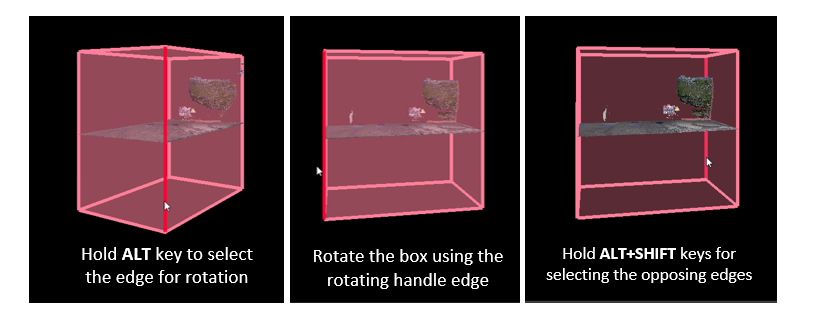
To rotate a Limit Box, hover over an edge line while holding the Alt key to highlight the line. The highlighted edge will become a handle for rotation.
Hold Alt + Shift keys to select the opposing edges.