---
title: "Quick Import of Data into Cyclone REGISTER 360 PLUS Without Images and Point Cloud Colours"
slug: "cyclone-register-360-quick-import-of-data-into-cyclone-register-360-plus-without"
updated: 2026-09-07T11:31:48Z
published: 2026-09-07T11:31:48Z
canonical: "rcdocs.leica-geosystems.com/cyclone-register-360-quick-import-of-data-into-cyclone-register-360-plus-without"
---
> ## Documentation Index
> Fetch the complete documentation index at: https://rcdocs.leica-geosystems.com/llms.txt
> Use this file to discover all available pages before exploring further.
# Quick Import of Data into Cyclone REGISTER 360 PLUS Without Images and Point Cloud Colours
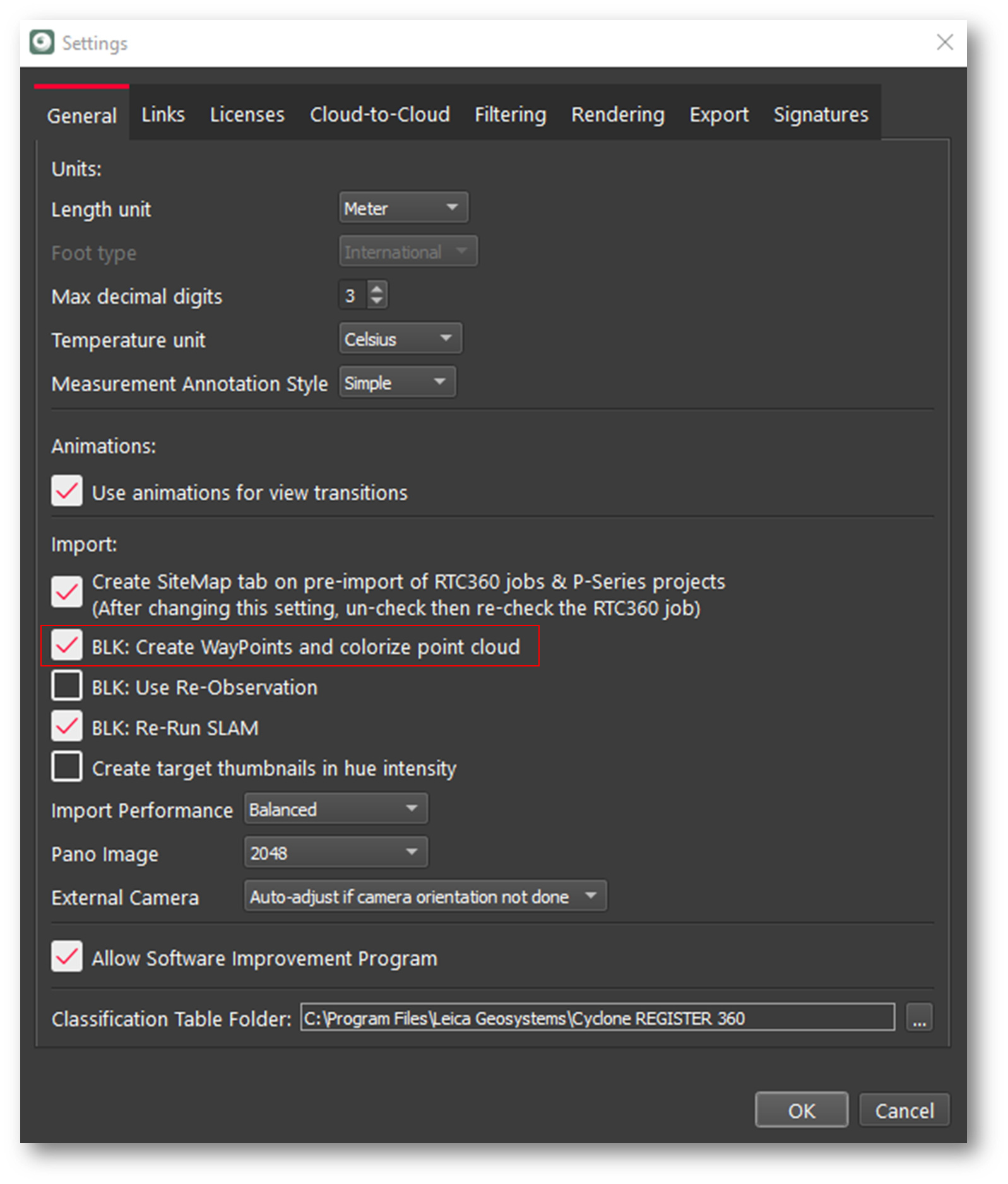
To import the data into Cyclone REGISTER 360 PLUS without panoramic images and without colourizing the point cloud, go to Settings and deselect the BLK: Create WayPoints and colorize point cloud option on the General tab.
Note: Using this option will save import time as the point data is not colourized, and the creation of Panoramic images is skipped.