Cyclone REGISTER 360 PLUS has an option in Settings called Advanced Optimization.
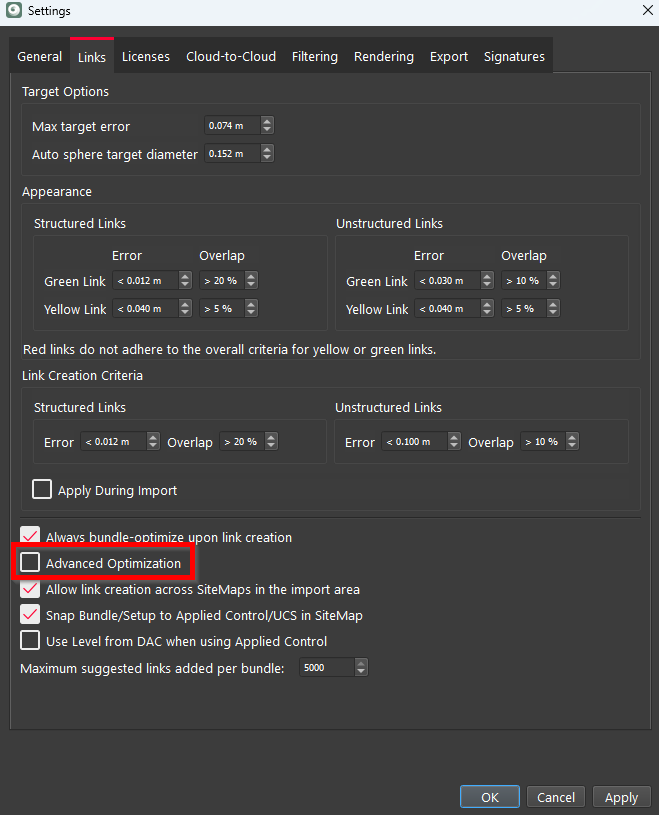
If a Bundle has less than 500 Links, this option does not change any optimization processes. If a Bundle has more than 500 Links, the option is unchecked, and a user adds or modifies a Link, Cyclone REGISTER 360 PLUS will perform a local optimization instead of a full global optimization. Keeping the option unchecked makes adding or modifying Links in a large Bundle faster by optimizing Links in a local area around the Link modified or added.
When finished adding or modifying Links, the option can be checked. When the Bundle is optimized, the Bundle will go through a full global optimization.
This option will save time when registering large datasets. Fully optimizing a Bundle every time a Link is changed or modified can add significant time to the registration process. This new tool will save time during Bundle formation by controlling when Cyclone REGISTER 360 PLUS performs a full optimization.