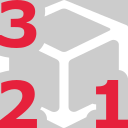
This command is used to define a 3D limit box.
Requirements
No selection is required to launch the command.
Click three points using Define points.
Points n°1 and 2 will define the basis of the box. Note that the basis will be parallel to XoY plane from the current UCS.
Point n°3 will set the height of the box.
A limit box is created and all previous ones are automatically deactivated.
Technical information
Other limit objects will be deactivated if the maximum number of activated limits is reached (refer to Limit objects).