Autocad Pro revit ultimate
The Measurement Annotation Style setting allows users to change the style of measurement annotations. There are two annotation styles: Simple and Advanced.
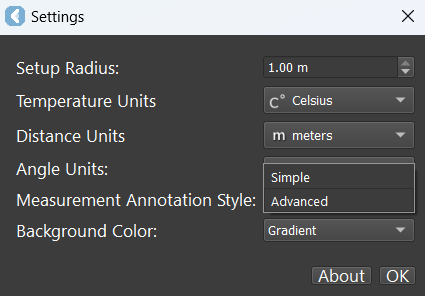
Simple
Simple measurements will only show a single label based on the measurement type.
Measure distance: The Distance, Distance XY, and Dz labels will be displayed.
Measure Angle: Angle measurement will be displayed.
Measure Area: Area measurement will be displayed.
Measure Temperature: Temperature measurement will be displayed.
.png)
Advanced
Advanced measurements will show labels, including start and end points, as well as distance along the axis for area and angle measurements.
Measure distance: The Distance, Distance XY, and Dz labels will be displayed and XYZ for the start and endpoint node will be displayed.
Measure Angle: Angle measurement, Distance, Distance XY, and Dz for each axis will be displayed.
Measure Area: Area measurement, Distance, Distance XY, and Dz for each axis will be displayed.
Measure Temperature: Temperature measurement will be displayed.
.png)