
Cyclone REGISTER 360 PLUS supports registration using only two targets, reducing the previous minimum requirement of three. This enables more flexible workflows, especially for P-Series scanners and low-overlap datasets, as well as for target‑only registration workflows where Cloud‑to‑Cloud alignment is not an option.
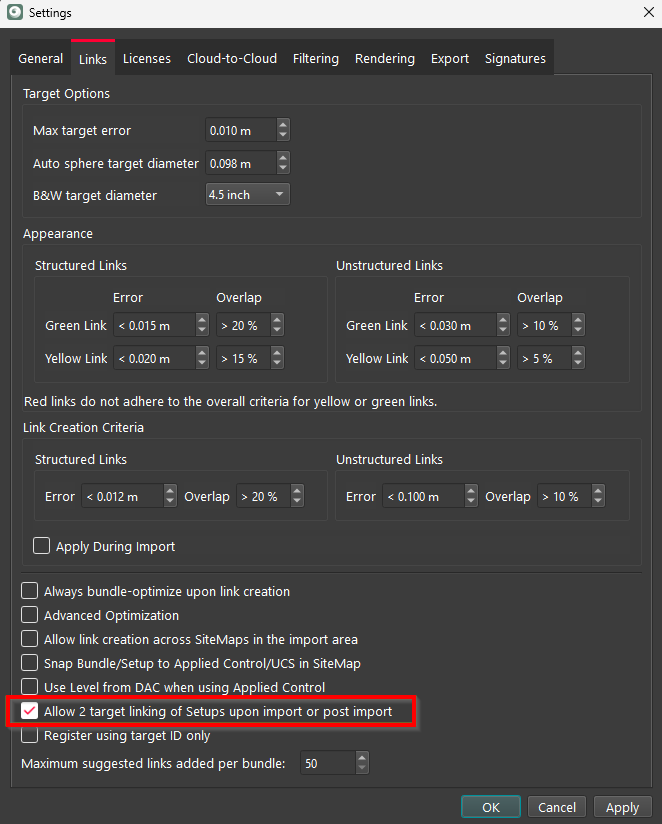
To enable two-target registration, navigate to the Links settings and select the Allow 2 target linking of Setups upon import or post import check box.
Note: When the option is disabled, a minimum of three targets is required to form a valid Link.
Workflow Overview
To register Setups using only two common targets, follow the steps below:
-
Import a dataset (for example, in E57 format).
-
Extract and name targets consistently across Setups (for example, T1 in Setup A matches T1 in Setup B).
-
Use the Match Targets option to create Links.
-
Optimise the Bundle to finalize registration.
Handling Errors
If a Link created with two targets shows high registration errors, consider the following options to fix it:
-
Delete the Link.
-
Re-match targets manually.
-
Re-optimise the Bundle.
Special Considerations:
In looped Setups, Bundle optimisation may fail unless a level condition is applied and then removed. This issue was observed in specific test datasets and may not occur universally. If the issue occurs, try:
-
Adding a level condition.
-
Optimising the Bundle.
-
Then, removing the level condition if needed.