
Option to Apply Vivid Colors to Point Cloud
The Apply Vivid Colors To Point Cloud option is available in Publish Options of the Properties panel in the Report area. When enabled, it allows publishing point clouds in vivid colours, resulting in more photo-realistic visualizations.
Constraints for Vivid Colours
For optimal use of the Vivid Colours feature, ensure that your data conforms to the following constraints:
The feature does not support any unstructured data, such as BLK mobile or MMS.
It cannot be applied to the already created point cloud in a Finalized Registration.
It supports creating a candidate registration with static data (i.e. RTC360 and so on). As a result, the created point cloud will be in vivid colours with the Apply Vivid Colors To Point Cloud option enabled.
If the registration is a combination of static and mobile data, it will only apply vivid colours to the static scans.
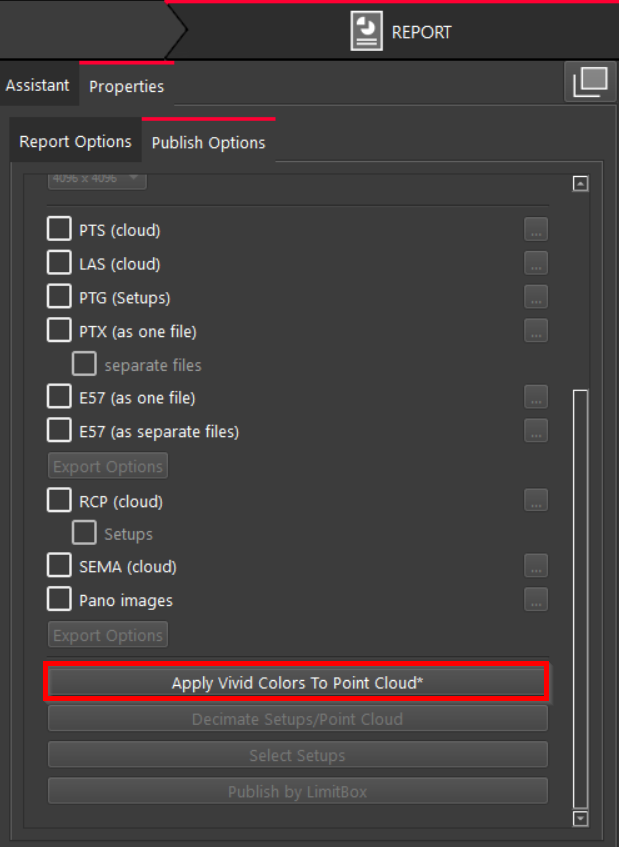

Note: When the option is activated, an asterisk (*) appears at the end of the option name.