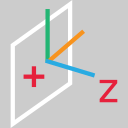
This command creates a new UCS with 1 click on a wall.
Requirements
No selection is required to launch the command.
Click a point on a wall using Define points: a local plane is extracted on this wall.
Notes
The Z-axis corresponds to the extracted plane normal.
The X-axis is horizontal.
The origin is where you clicked.