Unlike the best feature computation commands which use all points of an object, the commands to extract features try to find the best feature from a seed of point(s).
Open the file AlignOnRef.3dr (download).
Circle
To extract the dimensions of a hole in this mechanical part, launch Region Grow Circle. Set the Extraction tolerance to 0.5 mm and click a point close to the border of the hole (the point has to be given on the planar side).
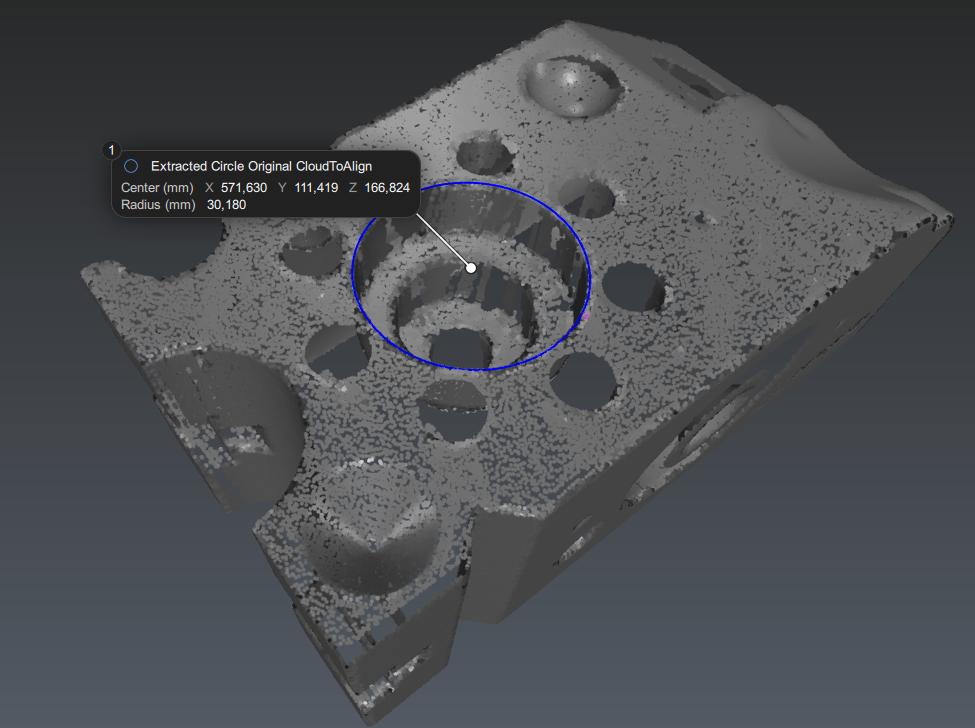
Extract Circle - Region Grow
You can set some parameters (Center, Normal, Radius). The distance between the extracted feature and the original points is visualized using the color gradient.
You can generate a measure or the extracted points if you wish by checking the corresponding options.
Click OK, Next to validate the circle or OK, Exit to validate and exit the command.
You can use the region grow for all geometric features (except cones)
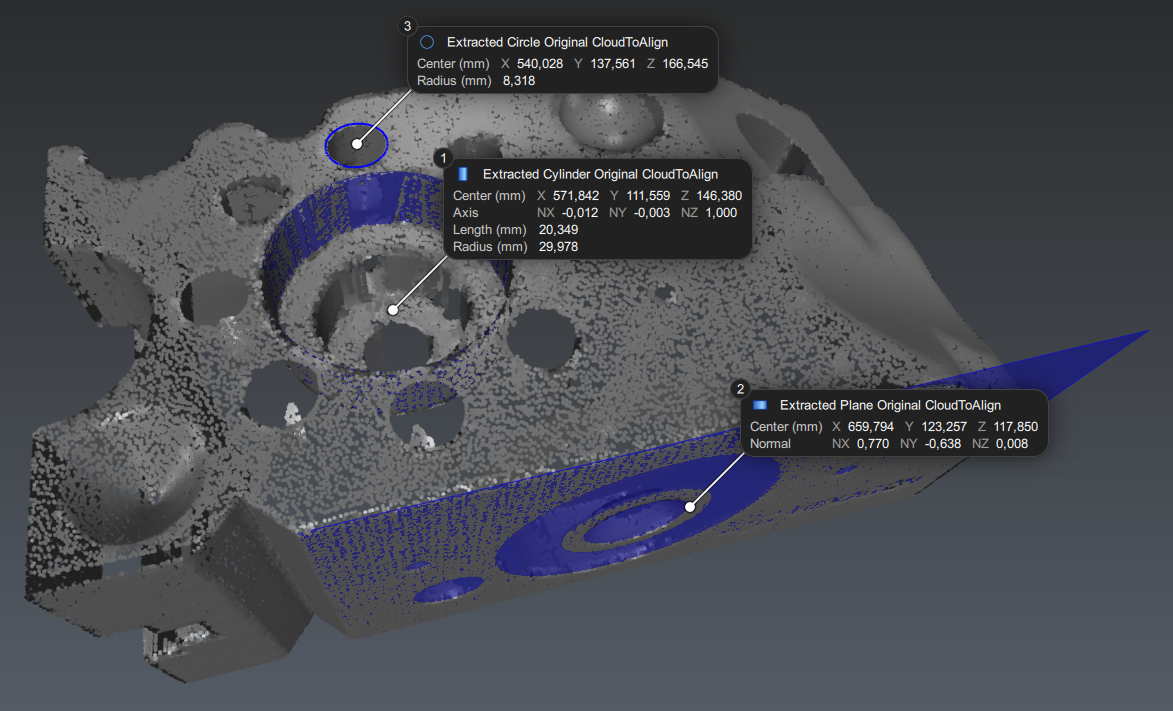
Circle, cylinder and plane extracted from the cloud