Open the file ProgressMonitoring.3dr (download) and launch Visual Notes without selection.
Analysis of the elevator shaft
We will check the relative position of the elevator shaft.
Add a note next to the elevator shaft and complete its data:
Title: Elevator shaft
Assigned to: Builder
Description: Bad positioning of the elevator shaft
Priority: let Medium
Now click on Add Measures and define a limit box around the elevator shaft like the image below. Use CTRL + Mouse wheel to increase the size of the limit box. Note you can edit again the limit box later.
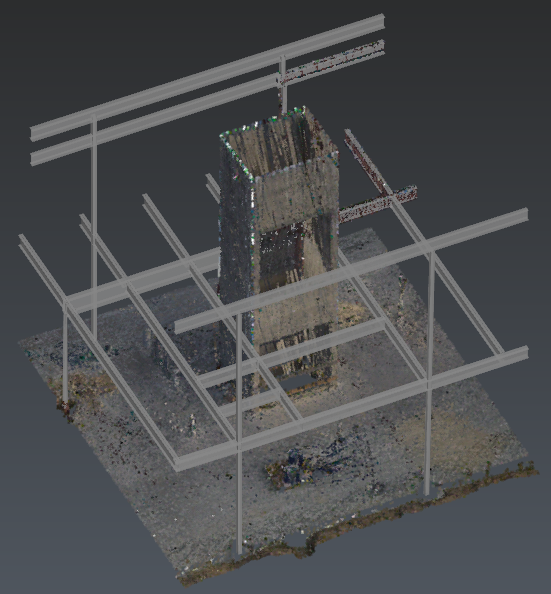
Area of interest
Thanks to the 3 predefined views, add measurements between the elevator shaft and the beams. You can either use the tool to add measures between points or between planes. Then, adjust and record the corresponding views for your report. It is possible to manage the visibility of objects
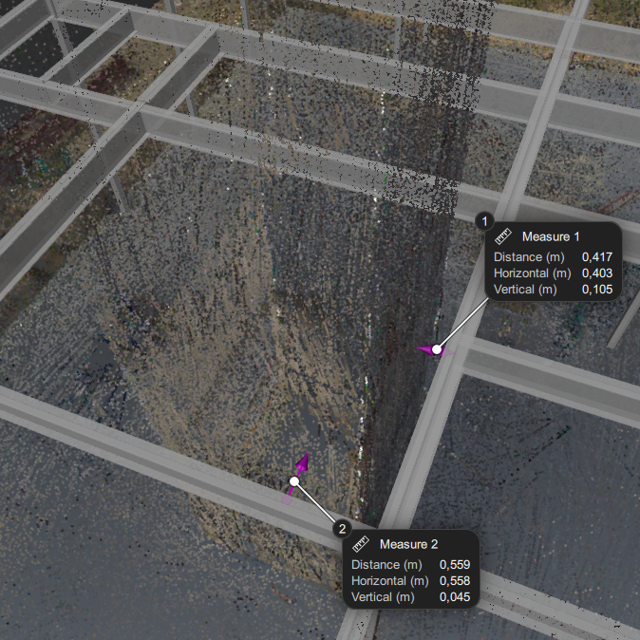
Measurements
Exit the tool by clicking OK. Here you can insert additional views and images from the disk or the webcam. You also can modify the note description: click Edit info and update the Priority to Low.
When finished, simply Export the BCF or open the Report Editor to generate the PDF.