In the software, there is a dedicated command for automatically fitting mesh borders with polylines in order to have perfect borders/holes.
Open the file MeshImproveBorders.3dr (download).
In this file, there are a mesh and 5 polylines corresponding to 5 holes. They have been obtained thanks to features extraction (see example in Exercise: Compute best shapes from clouds and polylines) and polylines improvement (see section Edit polylines).
Select the mesh and the 5 polylines and go to Define Borders. There is only one parameter to set: the Cleaning Distance. It is the width of the mesh that will be modified in order to fit to the new border. To define this parameter you can:
Enter directly a value
Click the button in text field to click two points and then enter two points in order to define the distance
Enter 7 mm or more and click on Preview. The result is bad because some or all holes have not been reconstructed due to a too high value, as we can see in the results.
Enter now 1.5 mm then click on Preview again. The result is now perfect like in the following picture. You can click OK to validate.
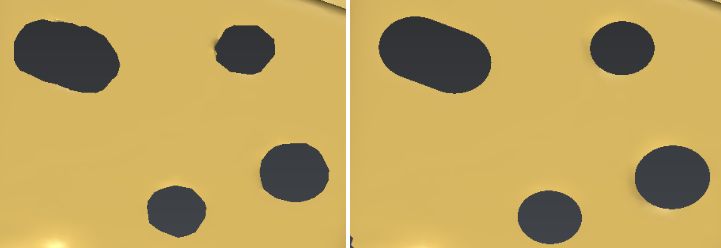
Borders have been improved in only one click