Open the file SectionsContourLines.3dr (download).
It contains the mesh of a mountain, and we want to create contour lines on it. Select the mesh and go to Planar Sections. This command allows to compute one or more sections, all in parallel planes, defined by a given direction.
Here we are going to compute sections of the mesh with a regular step along the direction of the Z axis, so:
Enter Z for axis direction.
Choose the option Regular.
Set the Step to 50 m in order to have a section each 50 meters of the whole mesh.
Set the Range to All over.
When you press Preview a result window appears to inform you that 37 polylines have been extracted. You can hide the planes.
Click OK, Exit. All the polylines are inserted in a new folder called Planar Sections. Each polyline is named with its Z value.
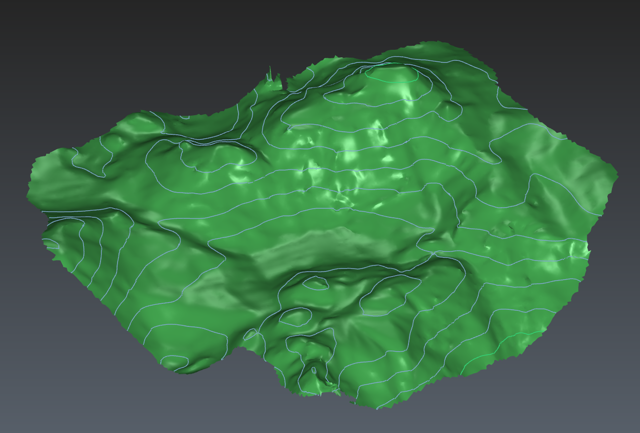
Create contour lines