
This command cuts the selected polylines and sets of polylines by clicking one or more points.
Requirements
No selection is required to launch the command. However some polylines have to be visible in the scene and/or selected to make the cut possible.
Click points according to Define Points. The given point will be projected in 3D onto the polyline.
An open polyline is separated into 2 pieces as soon as you click 1 point.
A closed polyline requires 2 clicks to be cut into 2 pieces.
If you want to cancel the last modification, press DEL or BACKSPACE.
Notes
Inspected polylines will lose inspection when cut.
When you click a point on a set of polylines, the selected polyline will be extracted from this set and cut at the clicked point. Therefore, the new set of polylines will contain only the untreated polylines.
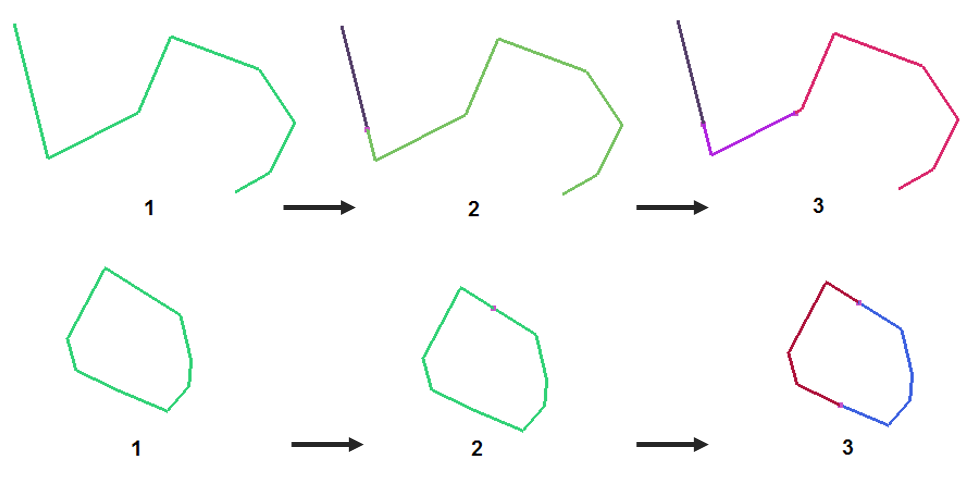
Fig. cut opened and closed polylines