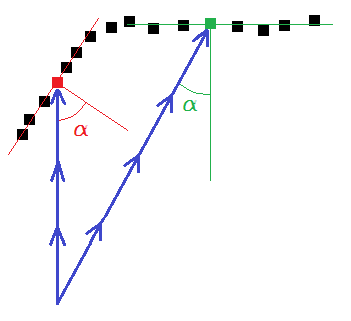
This command filters points inside cloud(s) according to the angle between the estimated normal and the scanning direction of each point.
Requirements
Select at least one cloud containing scanning directions and launch the command.
Set the Angle threshold between estimated normal and scanning direction. If the angle between the estimated normal of a point and its scanning direction is higher than the defined angle, the point will be filtered.
Define the output points you want:
Valid points.
Filtered points.
Technical information