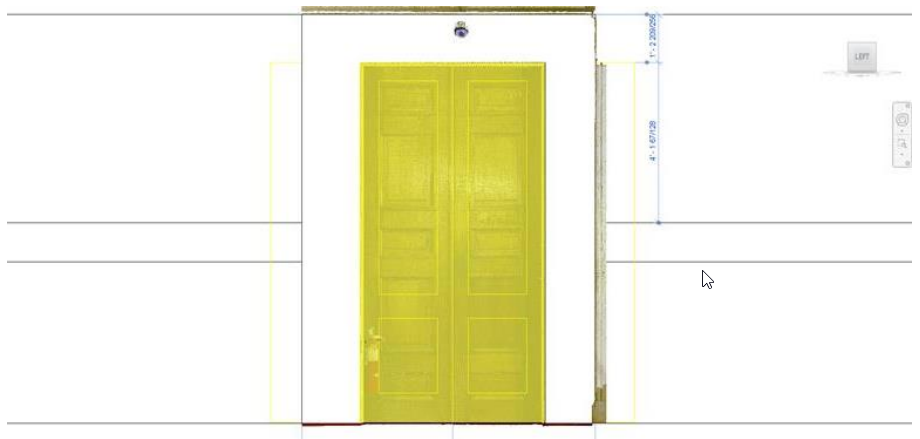
Door
REVIT
Fitters | Door
The tool allows users to fit doors from a catalogue in a semi-automated fashion to quickly add intelligent components to Revit models.
Using the Tool
To fit the door, follow the steps below:
Click the Door icon in the Fitters panel.
The Fit Door dialog will appear.
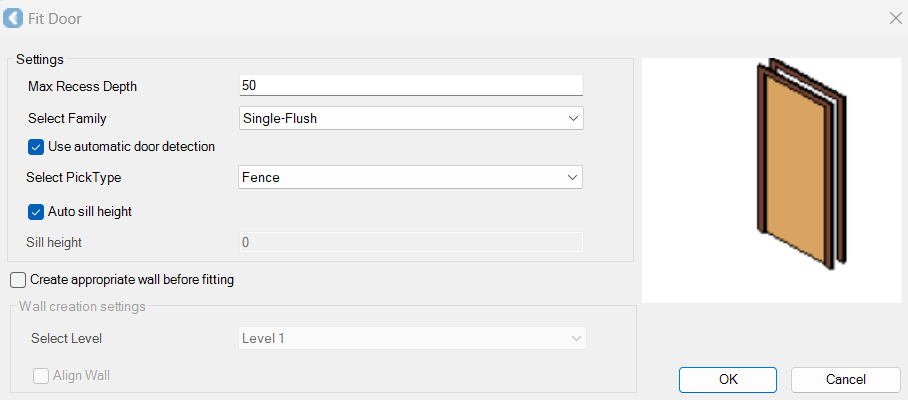
In the Fit Door dialog, modify the settings as follows:
Specify the Max Recess Depth value.
Select a family.
Select a pick type.
Select the Create appropriate wall before fitting check box if it’s necessary to create a new wall before fitting the door.
Click OK.
Select the door opening in the point cloud.
A new dialog will appear, suggesting the door type based on the best fit within the family.
Accept the suggested type.
Or, if the suggested type is not a close enough fit, create a new type by defining the name and adjusting the size of the new type, if needed. As a result, a new entry will be created in the family and the new type will now appear on the list for future door fitting.
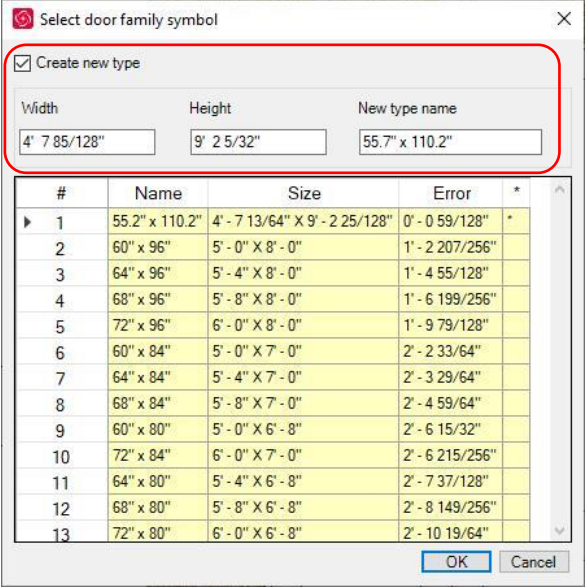
c. Click OK and the door will be placed.